

Home Security Integration with Smart Systems: Complete Guide
In this article
- What Is Home Security Integration with Smart Systems?
- Why Integration Matters for Your Home
- The Core Components of an Integrated System
- Setting Up Your Unified Control Dashboard
- Integration Best Practices
- Remote Access and Peace of Mind
- Automated Deterrents in Action
- Smart Home Compatibility and Future-Proofing
- Professional-Grade vs. DIY Systems
- Centralized Automation Benefits
- Monitoring and Alerts Strategy
- People Also Ask
What Is Home Security Integration with Smart Systems?
Home security integration with smart systems means connecting your traditional security tools—cameras, alarms, sensors—with smart home devices like locks, lights, and thermostats. Instead of managing everything through separate apps, you get one unified dashboard that controls and monitors it all.
This approach gives you real-time visibility into your home's security and the ability to respond instantly to threats, all from your phone or computer.
Related: Home Security Systems: Complete Guide for 2026
Related: Security Posture for Home & Garden: Complete Protection Guide
Related: Home Security Measures: A Complete Guide to Protecting Your Property
Why Integration Matters for Your Home
When your security system talks to your smart home, magic happens. A door sensor can trigger your lights to turn on automatically. Your cameras can start recording the moment motion is detected. Smart locks can integrate with your alarm so you know exactly when someone enters or exits.
You also reduce friction. Instead of checking five different apps, everything lives in one place. That means you're more likely to actually monitor your home and respond to alerts quickly.
The Core Components of an Integrated System
A solid integrated security setup usually includes:
- Security cameras - The eyes of your system. Modern professional-grade cameras like the ANNKE H500 - 3K 32 Channel PoE Security System with 14 Bullet & 18 Turret Cameras, EXIR 2.0 Night Vision, Built-in Mic & SD Card Slot, Works with Alexa offer smart connectivity and work with Alexa for voice control integration.
- Door and window sensors - These detect when entry points open and send instant alerts to your phone.
- Smart locks - Control who has access and log all entries remotely.
- Smart lighting - Lights triggered by motion or alarms act as visual deterrents and improve visibility.
- Alarms and sirens - Automated responses to threats, often integrated into your security cameras themselves.
- Central hub or NVR - Your system's brain. It stores video, processes alerts, and coordinates everything else.
Setting Up Your Unified Control Dashboard
The dashboard is where everything comes together. This is your single point of control for monitoring and managing your entire security setup.
A good dashboard displays camera feeds side-by-side, shows the status of every sensor and smart device, and lets you arm or disarm your system with one tap. You should be able to see which doors are locked, which windows are open, and whether motion has been detected anywhere on your property—all without opening multiple apps.
Look for systems that support common smart home standards. The newer Matter protocol is making it easier for different manufacturers' devices to communicate seamlessly. If you're building a new system, prioritizing Matter compatibility means your future smart devices will work together more smoothly.
Integration Best Practices

Start with compatibility - Before buying any device, confirm it works with your hub or NVR. Some systems play well together; others don't.
Choose a reliable central hub - Your hub needs to be rock-solid. Safes and Security Solutions specializes in professional security camera systems designed to serve as the backbone of an integrated setup, offering the stability and features you need for dependable coordination.
Need this done at home?
Get a Free Estimate →Automate intelligently - Set rules that make sense. For example: if motion is detected at the front door after 10 p.m., turn on exterior lights and send you an alert. Don't over-automate; too many rules create confusion and false alarms.
Backup connectivity - Make sure your system works even if your internet goes down. Local storage and cellular backup options matter.
Remote Access and Peace of Mind
One of the biggest perks of integration is controlling your security from anywhere. Forgot to lock the smart lock? Do it from work. Want to check if you left the garage open? View your camera feed in seconds.
This remote access also deters crime. Properties with visible cameras and active monitoring get targeted far less often than others. An integrated system lets potential intruders see you're serious about protection.
Real-time notifications are equally important. The moment a door opens, a window sensor triggers, or motion is detected, you get alerted. That split-second warning can make all the difference in how you respond.
Automated Deterrents in Action
When systems are properly integrated, they become proactive, not just reactive. Imagine this scenario: it's midnight and someone approaches your front door. Your motion sensor triggers, your exterior lights flash on, your cameras start recording, and your phone buzzes with an alert. The intruder sees the lights, hears a siren if you've configured one, and decides your home is too risky.
That's the power of layered, integrated protection. Each component reinforces the others. Lights deter. Cameras record evidence. Sensors alert you. Alarms discourage entry. Together, they create a system far more effective than any single tool.
Smart Home Compatibility and Future-Proofing
Not all security systems integrate equally. Some work only with devices from their own manufacturer. Others are more open and flexible.
When choosing a system, ask:
- Does it support popular platforms like Alexa, Google Home, or Apple HomeKit?
- Can it integrate with smart locks, smart lighting, and thermostats you already own?
- Does it use open standards like Matter, or is it locked into proprietary technology?
- Will the manufacturer continue supporting it with updates over the next five years?
Future-proofing matters because security is a long-term investment. You want a system that will still be relevant and compatible as smart home technology evolves.
Professional-Grade vs. DIY Systems
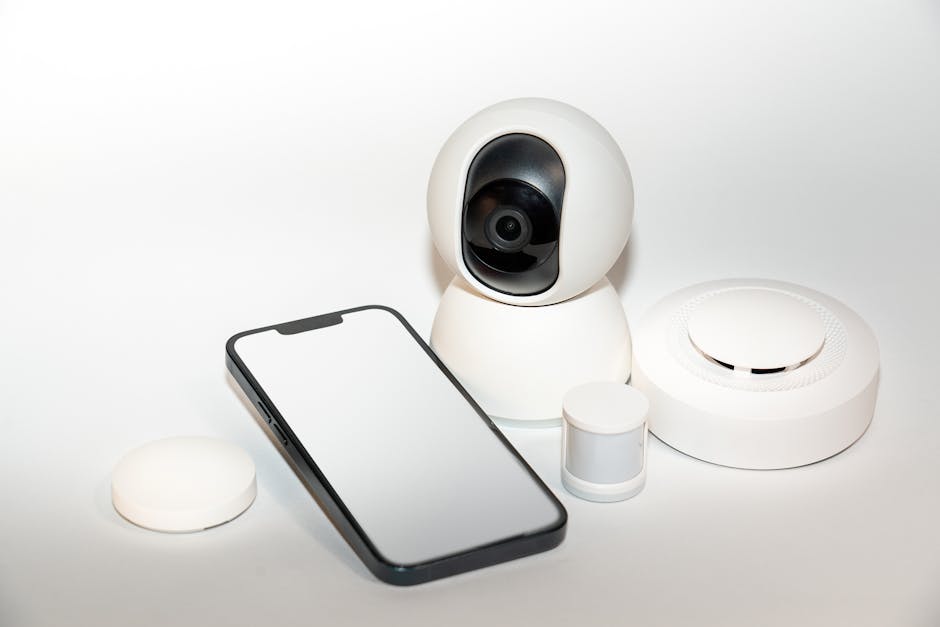
DIY systems offer convenience and lower upfront costs. You install them yourself, manage them through an app, and scale up gradually.
Professional systems, by contrast, are designed for reliability and durability. They use hardwired connections (less prone to interference than Wi-Fi), offer better storage capacity, support more simultaneous camera feeds, and come with expert guidance if something goes wrong.
For most homeowners serious about integrated protection, a professional system makes more sense. It handles more cameras, integrates more deeply with smart home devices, and gives you the peace of mind that comes from dependable, tested technology. Safes and Security Solutions offers professional-grade security camera systems that integrate seamlessly into smart home setups, with the kind of reliability you need when security matters.
Centralized Automation Benefits
Managing one app instead of five or six changes everything. You stop missing alerts because you forgot to check a particular app. You remember to arm your system because the reminder comes from a single trusted source. You see the full picture of your home's security in seconds, not minutes.
Centralization also improves response times. When something happens, your integrated system can automatically notify you, trigger lights, record video, and lock doors—all simultaneously. That coordinated response is much harder to achieve with separate, unconnected devices.
Monitoring and Alerts Strategy
Set up notifications that matter. If you get alerted to every tiny movement, you'll tune them out and stop responding. Instead, configure your system to alert you to genuine threats: someone at your door, a window opening when it shouldn't, or motion in restricted areas.
Time-based rules also help. Maybe motion detection matters at 2 a.m. but not at 2 p.m. when your family's moving around. Smart scheduling prevents alert fatigue and keeps you focused on real risks.
People Also Ask
Can I integrate an old security system with new smart home devices?
Sometimes. It depends on how old your system is and whether it has an open API or integration capabilities. Older systems built before smart home standards became common often can't talk to modern devices. If you're considering integration, you'll likely need to upgrade your central hub or camera system. That's where investing in a modern platform from the start pays off.
Do I need a professional to install an integrated security system?
It depends on your technical comfort level and your system choice. Many modern systems support DIY installation, which saves money. However, professional installation ensures everything is configured correctly, all devices communicate properly, and your system is optimized for your home's specific layout. Professional guidance also means you won't miss important compatibility issues or security gaps.
What happens to my security if the internet goes down?
A well-designed integrated system keeps working. Local cameras continue recording to on-device storage. Sensors keep detecting motion and storing data. Alarms still sound. You just won't get remote notifications or be able to view feeds remotely until connectivity returns. That's why systems with onboard storage matter—they're resilient even when the internet fails.
Is it expensive to integrate home security with smart systems?
Cost depends on your setup's size and complexity. A basic system with a few cameras, door sensors, and a smart lock costs less than a comprehensive multi-camera surveillance system with professional monitoring. Starting small and adding devices over time is a smart approach. Safes and Security Solutions offers options at different scales, and their team can help you find a system that fits your budget while meeting your protection goals.
Need this done at home?
Get a Free Estimate →