

The Best Outdoor Business Camera Is the ProSecure D800
The best outdoor business camera for most commercial properties is the ProSecure D800 Dual-Lens Outdoor Camera. It earns that recommendation because it covers the three things commercial buyers actually need in one housing: a wide-angle view for context, a second telephoto lens for identifying faces or plates, and a PoE connection that keeps recording even if your Wi-Fi drops during a storm or a busy retail Saturday.
That combination matters more than any single spec sheet number. A parking lot camera that captures a beautiful wide shot but can’t read a license plate at 60 feet is a liability disguised as a security investment. The D800’s dual-lens design solves the “wide view versus fine detail” trade-off that trips up most single-lens business cameras, and its rugged outdoor rating means it survives freeze-thaw cycles and July heat without a service call.
Not every property fits one camera type, though. Here’s a quick shortlist by scenario:
- Large perimeter or multi-acre lot: a PTZ (pan-tilt-zoom) camera with operator or auto-tracking control
- Storefront or entrance deterrence: a floodlight/fixed camera with visible LED warning lights
- Remote site with no power or internet: a solar or cellular (4G/LTE) camera
- Multi-location rollout on a budget: rugged, lower-cost PoE fixed cameras standardized across sites
Pro Tip: Before you buy anything, walk your property at dusk. Most identification failures happen in the thirty minutes between daylight and full dark, not at midnight.
For most single-site commercial buildings, start with the ProSecure D800 product page to check current pricing and mounting kits, or request a quote if you’re planning a multi-camera layout.
Key Takeaways
The ProSecure D800’s dual-lens design solves the core trade-off in outdoor business cameras: wide coverage and identifiable detail in one PoE-capable unit.
| Point | Details |
|---|---|
| Match camera type to scenario | Choose PoE dome, PTZ, floodlight, or cellular based on cable access and coverage area, not brand preference. |
| Resolution should follow purpose | Reserve 4K for identification-critical spots like entrances and plates; 1080p suffices for general monitoring. |
| PoE beats wireless for uptime | Hardwired connections avoid the signal drops that plague Wi-Fi cameras on large properties. |
| Retention length should match risk | Budget varies depending on the site’s risk level and retention requirement. |
| ProSecure D800 fits most single-site needs | Its dual-lens setup and PoE support cover general monitoring and detail capture without needing two separate cameras. |
Table of Contents
- What Are the Best Outdoor Business Cameras by Type?
- How Do You Choose the Right Outdoor Business Camera?
- PoE, Wireless, or Cellular: Which Connection Should You Use?
- Should You Store Footage in the Cloud or on a Local NVR?
- Which Camera Setup Fits Your Business Scenario?
- What Should You Budget for an Outdoor Business Camera System?
- Why This Guidance Comes From a Security Retailer, Not a Review Site
- What the Industry Gets Wrong About Camera Shopping
- Get a Commercial-Grade Camera System Built for Your Property
- Sources
What Are the Best Outdoor Business Cameras by Type?
Editors who review outdoor security cameras tend to sort them by what they’re for rather than by brand, and that framework holds up well for commercial buyers because organizing by use-case rather than manufacturer is closer to how a facilities manager actually shops. You’re not asking “which brand is best.” You’re asking “what do I need this camera to catch, and in what conditions?” Here’s how the major categories break down for business use.
PoE 4K dome cameras: the general-purpose workhorse
A PoE dome camera running at 4K or 2K resolution is the default choice for entrances, hallways covered by an overhang, and loading dock approaches. Power over Ethernet means one cable carries both electricity and data, which simplifies installation and eliminates battery swaps. Because the recording runs through a wired connection instead of Wi-Fi, uptime tends to be far more consistent. Security professionals favor PoE and hardwired systems for exactly this reason: they hold up better on large or industrial properties where wireless interference and dead zones are common.
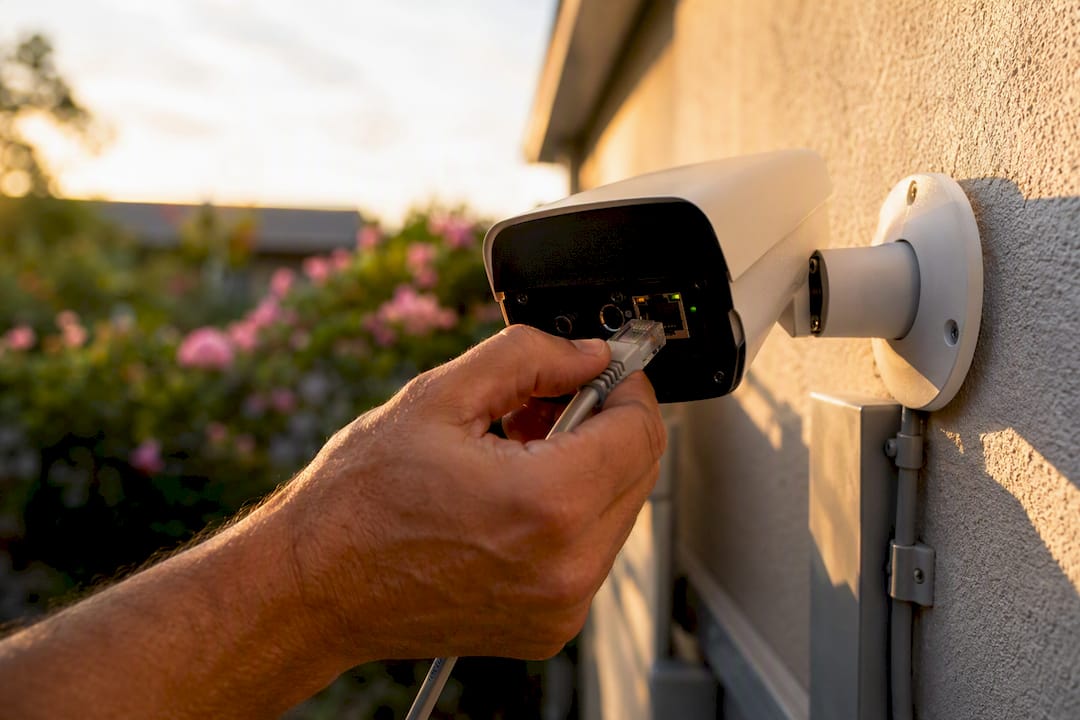
Best for: entrances, hallways, retail floors, office exteriors Require: IP66 or better ingress rating, true 4K or 2K sensor (not digital zoom), PoE802.3af/at support, minimum 2-year warranty
PTZ cameras: coverage for large or irregular perimeters
Pan-tilt-zoom cameras let a single unit cover what would otherwise take three or four fixed cameras, either through manual control or programmed patrol patterns. They cost more per unit but often cost less than blanketing a property with fixed cameras, especially on irregular lot shapes or long fence lines.
Best for: large parking lots, fence-line perimeters, distribution yards Require: optical zoom (not digital), auto-tracking analytics, weatherproof housing rated for continuous outdoor duty
Floodlight and fixed deterrence cameras
These pair a bright LED floodlight with a fixed-angle camera, and the light itself does a lot of the deterrence work before anyone reviews footage. They’re a strong fit for storefronts and back entrances where visible presence matters as much as recorded evidence.
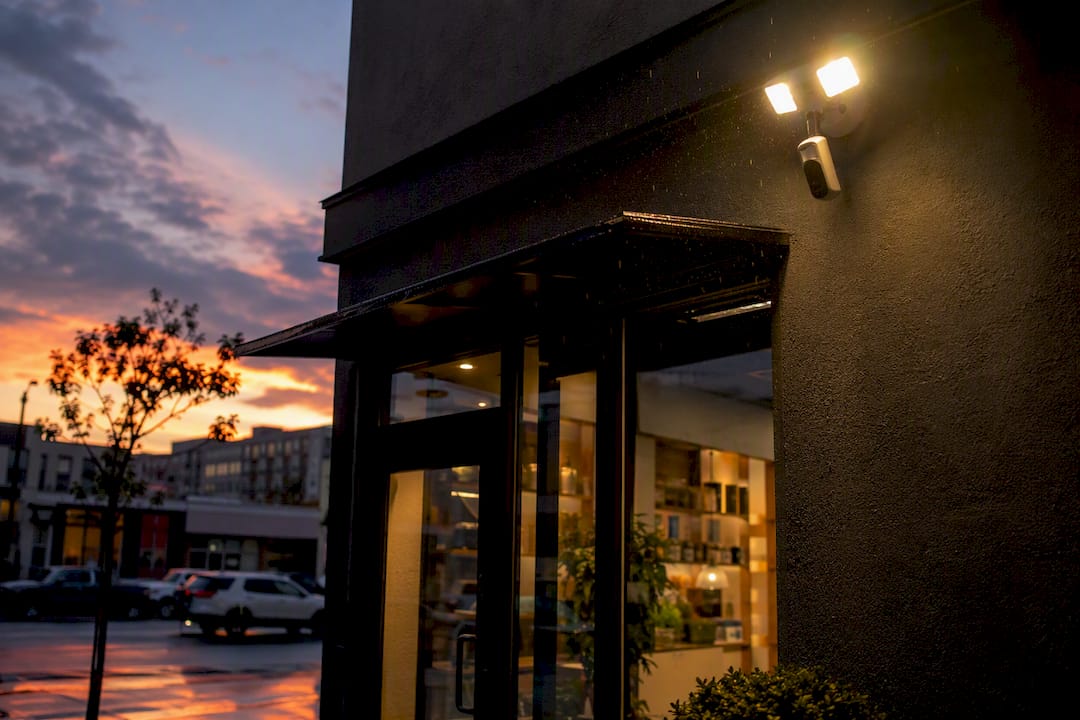
Best for: storefronts, side entrances, loading docks after hours Require: motion-activated lighting separate from recording trigger, wide-angle fixed lens, IP65+ rating
Cellular and 4G cameras for sites without wired infrastructure
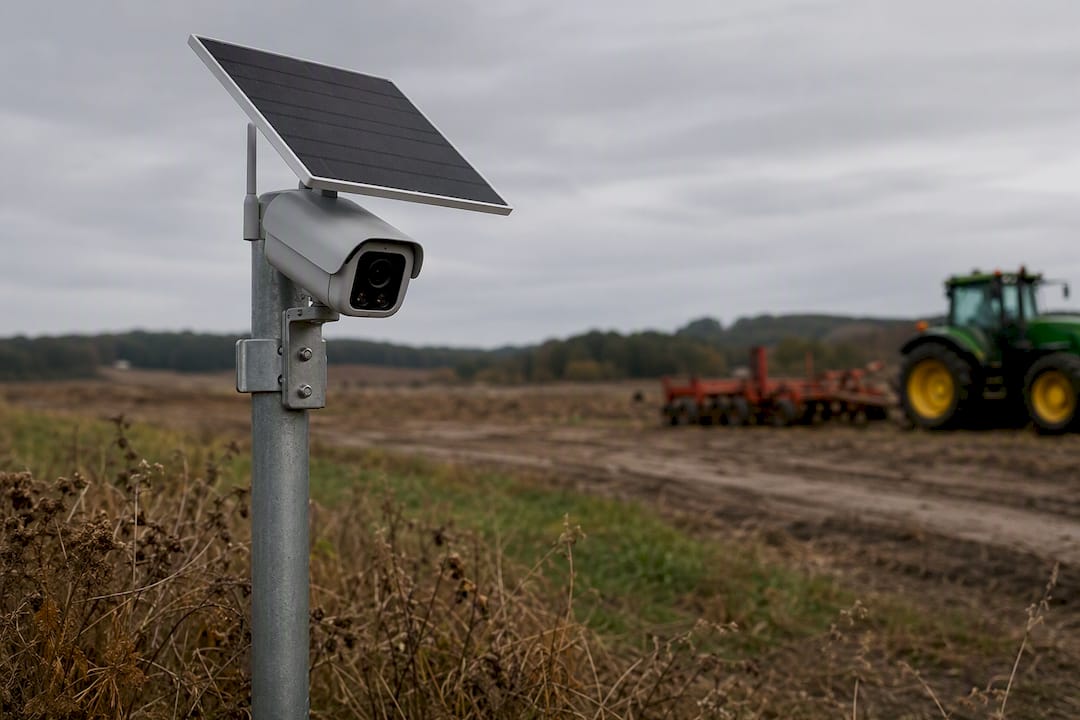
Construction sites, remote equipment yards, and seasonal properties often have no power grid and no broadband. A cellular camera with a solar panel solves that, though reviewers consistently flag that consumer-grade wireless units can produce more false alarms in busy environments and struggle with wide dynamic range in tricky light, so business-grade cellular units with better analytics are worth the premium.
Best for: construction sites, remote lots, seasonal or temporary locations Require: solar or extended battery life, 4G/LTE data plan, weatherproof rating for unattended operation
Budget rugged cameras for multi-site standardization
If you’re outfitting ten locations, consistency often beats top-end specs at any single site. A rugged, mid-tier fixed camera that’s identical across every property simplifies training, spare-parts stocking, and remote monitoring dashboards.
Best for: franchise chains, multi-location retail, regional service businesses Require: identical model number across sites, centralized management software compatibility, IP66 rating minimum
Nearly 8MP and higher resolution sensors are now common differentiators on business-grade spec sheets, alongside H.265 compression that cuts storage needs without sacrificing image quality. That compression detail matters more than it sounds. It’s the difference between a 30-day retention plan fitting on a $200 NVR and needing a $600 one.
Quick specification checklist before you buy anything:
- IP66 or IP67 ingress rating (confirms real weatherproofing, not marketing language)
- True optical resolution at 2K or 4K, not upscaled 1080p
- PoE support if the mounting location allows a cable run
- Minimum 2-year manufacturer warranty with accessible replacement parts
- H.265 or H.265+ compression for storage efficiency
The ProSecure D800 covers more of this checklist than most single-purpose cameras because its dual-lens design effectively merges the “wide general-purpose dome” and “detail-focused zoom” categories into one PoE-capable unit, which is why it works as a default recommendation rather than a niche pick.
How Do You Choose the Right Outdoor Business Camera?
Choosing correctly comes down to answering four questions before you ever look at a spec sheet: what do you need to identify, how dark does it get, what’s your cable-run reality, and how long do you need to keep footage. Get those answers first, then let them drive the purchase.
- Resolution needs. Reviewers recommend 2K or 4K when identifying faces or license plates matters, while 1080p is usually fine for general activity monitoring where you just need to confirm something happened, not who did it. A camera watching a warehouse floor for slip-and-fall liability doesn’t need the same resolution as one aimed at a parking lot exit.
- Lens and field of view. Wide lenses capture more area but sacrifice detail at distance. This is why the dual-lens approach, wide plus telephoto in one housing, solves a problem that a single lens simply can’t.
- Night performance. Infrared gives you black-and-white detail in total darkness, but color night vision paired with supplemental lighting tends to produce far better identification results for anything involving skin tone, clothing color, or plate color.
- Analytics quality. People and vehicle detection cuts down false alerts dramatically compared to generic “motion detected” triggers, which matter a lot once you’re getting forty notifications a night from blowing leaves.
- Ingress and impact ratings. IP66 or IP67 for weather, IK08 or higher if vandalism is a realistic concern.
- Power and connectivity. PoE where cable runs are feasible, cellular or solar where they aren’t.
- Retention period. Decide this before you buy hardware. It determines your storage sizing.
Procurement checklist to bring to any vendor conversation:
- Ask for the actual sensor resolution, not marketing megapixels achieved through interpolation
- Confirm the ingress rating with a datasheet, not a verbal claim
- Request sample night footage from a similar installation, not a manufacturer demo reel
- Get retention capacity in writing (days of footage at your camera count and resolution)
Watch for red flags during vendor calls: vague answers about warranty terms, no local storage option offered at all, and privacy policies that don’t specify where footage is processed or stored. Trusted vendors are upfront about local storage availability and encryption options rather than steering every conversation toward a subscription.
Three questions worth asking any installer directly:
- Where exactly will cable routes run, and will any of them cross exterior walls needing weatherproof conduit?
- What surge protection is included at the PoE switch and camera end?
- What’s the exact process for exporting footage as evidence, and does it preserve a usable timestamp and chain-of-custody record?
Pro Tip: Ask for a sample video clip shot at your specific dusk lighting, not a manufacturer’s demo reel filmed in perfect conditions. Dusk is where most cameras reveal their real weaknesses.
PoE, Wireless, or Cellular: Which Connection Should You Use?
The connectivity decision usually matters more than the camera brand you pick, because it determines whether your system runs reliably for years or needs constant troubleshooting.
PoE and hardwired setups remain the standard for anything permanent. One Ethernet cable delivers power and data, centralized backup power at the switch keeps recording alive during outages, and there’s no Wi-Fi interference to fight. Recommended cable types are outdoor-rated CAT6 with a UV-resistant jacket, run through conduit wherever the cable crosses an exposed wall. Surge protection at both the switch and camera end isn’t optional. A single lightning strike near a PoE run can take out an entire camera bank without it.
Wireless and cellular setups make sense when running cable is genuinely impossible: temporary construction sites, seasonal properties, or locations separated from the main building by a road or property line. The trade-off is real, though. Signal drops happen, especially in metal buildings or during heavy weather, and battery-powered units need a maintenance schedule for swaps or solar panel cleaning.
Hybrid patterns often deliver the best of both. A local NVR handling the PoE cameras on-site, with cloud backup for critical entry points or a cellular failover camera watching the one blind spot that’s too expensive to trench cable to. This is increasingly the default recommendation for mid-size commercial properties that have some easy cable runs and some genuinely difficult ones.
Installer checklist for any connectivity setup:
- Confirm proper grounding at every camera and switch point
- Mount at 9 to 10 feet for general coverage; higher for perimeter cameras to avoid tampering
- Verify line-of-sight isn’t blocked by future landscaping growth or seasonal foliage
- Weatherproof every junction box and cable entry point, not just the camera housing itself
For businesses managing their own installation timeline, the small business CCTV installation guide walks through cable planning in more depth. For larger commercial jobs, a licensed low-voltage contractor like Cables & Chips in New York City handles structured cabling and access control integration for multi-camera commercial buildouts.
| Point | Details |
|---|---|
| PoE wins on uptime | Hardwired PoE avoids Wi-Fi interference and supports centralized backup power. |
| Cellular fills gaps | Best reserved for sites where cable runs are physically impossible. |
| Hybrid is the growing default | Local NVR plus cellular failover covers both reliability and blind spots. |
| Grounding and surge protection are non-negotiable | Skipping either risks losing an entire camera bank to one storm. |
Should You Store Footage in the Cloud or on a Local NVR?
Cloud and local storage solve different problems, and most commercial properties end up needing a mix of both rather than picking one exclusively.
Cloud storage offers redundancy. If someone steals the camera or the NVR itself, footage already uploaded off-site survives. It also gives remote access from a phone without configuring a VPN into your building network. The downside is the ongoing monthly fee, which adds up fast across a dozen cameras. Local NVR storage flips that trade-off: no subscription, full control over your footage, and Consumer Reports has found that subscription-free, local-recording setups are increasingly popular among buyers who want long-term cost predictability rather than a recurring bill that never ends.
Retention length should match your risk profile, not a generic default. Lower-risk sites may require shorter retention periods, while high-risk sites, cash handling, or prior incidents generally warrant longer retention periods. Check your state’s specific requirements too; some jurisdictions with active litigation or insurance claims may require longer holds.
Monitoring adds another layer of decision-making. Self-monitoring works for lower-risk properties where you’re comfortable reviewing alerts yourself. Professional monitoring with video verification, where a human confirms an actual intrusion before dispatching police, speeds emergency response but comes with a monthly fee worth weighing against your actual incident history.
For evidence integrity, a few habits matter more than any piece of hardware:
- Export footage in its native format immediately after an incident, before it ages out of retention
- Keep a written log of who accessed or exported footage and when
- Store exported evidence on a separate drive, not the same NVR that’s still recording over old footage
A 24-channel PoE NVR built for continuous recording gives you that local control without sacrificing the ability to add cloud backup for your highest-priority cameras later.
Which Camera Setup Fits Your Business Scenario?
Different properties need genuinely different approaches, and matching the camera to the scenario matters more than chasing the highest spec number available.
- Retail storefronts. Position one camera at customer eye level near the entrance for facial identification, and a second wider unit covering the full sales floor. Resolution of 2K minimum at the entrance, with a visible camera housing and floodlight for deterrence. Impulse theft drops noticeably when a camera is obvious rather than hidden.
- Parking lots and perimeters. PTZ coverage handles large or irregular lots efficiently, while multiple fixed cameras work better on smaller, rectangular lots. License plate capture needs a dedicated telephoto view, not the same wide lens covering the whole lot; that’s precisely where a dual-lens unit like the D800 earns its keep at entry and exit points. Adequate lighting matters as much as camera placement since even 4K sensors struggle with plates in near-total darkness.
- Warehouses and loading docks. Mount cameras high, above forklift reach and pallet stacking height, with overlapping fields of view so no single blind spot exists. Analytics tuned for vehicle detection at loading bays cuts down false alerts from forklifts and delivery trucks compared to generic motion triggers. Overlapping coverage also protects you if one camera’s view gets blocked by inventory during a busy shift.
- Remote sites. Solar-powered or cellular cameras solve the power and connectivity problem, but theft of the camera itself becomes a real risk at unattended locations. Mount high, use tamper-resistant housings, and build a maintenance schedule for solar panel cleaning and battery checks. Reactive maintenance, waiting until a camera goes offline to check on it, tends to mean weeks of no coverage before anyone notices.
Each scenario above benefits from thinking through the broader role outdoor cameras play in property security before committing to a single camera type across an entire property.
What Should You Budget for an Outdoor Business Camera System?
Total cost of ownership breaks into three buckets: hardware, installation, and recurring fees, and each one scales differently depending on property complexity.
Entry commercial cameras run at the lower end of the market and typically cover single-camera storefronts or small offices with straightforward cable runs. Mid-tier PoE systems with multiple cameras and an NVR cost more upfront but eliminate subscription fees over time. Enterprise PTZ and multi-camera NVR setups sit at the top of the range, justified by large properties or high-risk sites where coverage gaps carry real financial consequences.
Installation cost drivers matter as much as the hardware price. Running conduit through masonry walls costs far more than surface-mounting on drywall. Long cable runs between a camera and the nearest PoE switch may require a mid-span injector or an additional switch closer to the camera. Multiple mounting points across a large property add labor hours that often exceed the hardware cost itself.
Recurring costs come mainly from cloud storage and professional monitoring, both billed monthly, and businesses should budget for these as an ongoing operating expense rather than a one-time purchase. A local NVR-based system avoids most of this recurring cost entirely after the initial hardware and installation spend.
The ROI case for higher upfront spend usually isn’t about preventing one big loss. It’s about the accumulation of small ones: reduced shrinkage from visible deterrence, faster insurance claims with clear evidence, and fewer disputed liability claims when footage settles the question immediately instead of dragging into a “he said, she said.”
- Entry-level: single storefront or small office, minimal cable runs
- Mid-tier PoE: multi-camera retail or office property with an NVR
- Enterprise PTZ/NVR: large perimeter, warehouse, or high-risk multi-building site
Why This Guidance Comes From a Security Retailer, Not a Review Site
Most “best camera” lists come from tech publications that never actually install the hardware they’re ranking. This guide comes from a company that sells and supports the equipment itself, which changes what gets emphasized.
- The ProSecure D800 product page lists full specifications, mounting hardware options, and current pricing for direct comparison against alternatives
- The small business CCTV installation guide covers cable planning, mounting height, and grounding in more technical depth than fits here
- Safes and Security Solutions sells the full stack, cameras, NVRs, and safes, so recommendations account for how a camera system integrates with existing security investments rather than being sold as an isolated gadget
- Readers evaluating a multi-camera commercial rollout can request a quote directly rather than piecing together compatibility between separately purchased components
Businesses considering a phased rollout, one building now, additional sites later, benefit from standardizing on a single camera platform early rather than mixing incompatible systems as budget allows expansion.
What the Industry Gets Wrong About Camera Shopping
Most outdoor camera advice still treats resolution as the headline spec, and that’s backward for commercial buyers. A camera watching an empty hallway at 4K is wasted spend. A camera watching your only parking lot exit at 1080p is a liability. The right question isn’t “how many megapixels” but “what decision does this footage need to support,” and that question should drive every purchase before a single spec sheet gets opened.
The conventional wisdom also oversells cloud storage as the modern default, when plenty of commercial buyers are better served by local recording that avoids a recurring bill entirely. Subscription fatigue is a real budgeting problem for businesses running a dozen cameras, and local NVR storage deserves more attention than most buying guides give it.
What should a decision-maker prioritize first? Connectivity, not camera model. A brilliant camera on an unreliable Wi-Fi connection produces gaps in coverage exactly when you need footage most. Get the cable run or cellular failover sorted before comparing sensor specs, because the best camera in the world is worthless during the thirty seconds its connection drops.
— Safes and Security Solutions
Get a Commercial-Grade Camera System Built for Your Property
Safes and Security Solutions sells the actual hardware this guide recommends, not a subscription wrapped around someone else’s camera. That means you’re buying a PoE-capable, business-grade system with a real warranty and local storage options, instead of getting funneled toward a monthly plan just to keep watching your own footage.

If you manage a single storefront, the ProSecure D800 Dual-Lens Outdoor Camera covers both wide-area monitoring and detail capture in one unit, no second camera required. If you’re outfitting a warehouse or multi-building property, pairing that camera with a 24-channel PoE NVR gives you centralized, subscription-free recording across every entry point. Businesses standardizing hardware across multiple locations can also review the 12MP PoE camera with spotlight for higher-resolution coverage at entrances and loading docks.
Request a quote today to get a camera and NVR combination sized to your property, your cable access, and your retention needs.
Sources
- 2026’s Best Outdoor Cameras: Vetted by Security Experts
- The Best Security Cameras for Businesses in 2026 - CNET
- Best home security cameras without a subscription - Consumer Reports
- The Best Subscription-Free Home Security Cameras I’ve Tried | WIRED