

Why Secure Server Room Access: A 2026 IT Guide
TL;DR:
- Securing server room access involves layered controls to prevent unauthorized entry and ensure compliance. Physical barriers, digital monitoring, and personnel policies work together to protect critical infrastructure and data. Proper procedures and equipment reduce risks from human error and technical failures alike.
Secure server room access is defined as the set of physical, digital, and procedural controls that restrict entry to server infrastructure to authorized personnel only. The reasons to prioritize this go far beyond locking a door. Linux-based servers make up over 96% of the world’s top one million web servers, which means a single compromised server room can affect global web operations. Regulations like ISO 27001 and standards from the National Institute of Standards and Technology (NIST) treat physical access controls as foundational, not optional. Compliance requirements also mandate that access logs be stored for at least one year in a tamper-proof format. Understanding why secure server room access matters is the first step toward building a defense that actually holds.
Why secure server room access is a business-critical priority
Unauthorized physical access to a server room is one of the fastest paths to a data breach. An attacker who walks through an unlocked door can pull drives, install keyloggers, or disrupt cooling systems in minutes. No firewall stops that. The industry term for this discipline is physical access control, and it sits at the base of every credible cybersecurity framework, including ISO 27001 and NIST SP 800-53.
The business case is direct. Server rooms house the hardware that runs payroll, customer data, communications, and every digital process the organization depends on. A single outage caused by unauthorized access or equipment tampering can cost far more than the entire annual security budget. Physical intrusion also creates liability under data protection laws, including HIPAA for healthcare and PCI DSS for payment environments.
Layered physical and digital controls reduce both the chance and the impact of incidents. No single barrier is enough on its own. The goal is to make unauthorized access slow, noisy, and traceable at every step.
What physical security controls are essential for server room access?
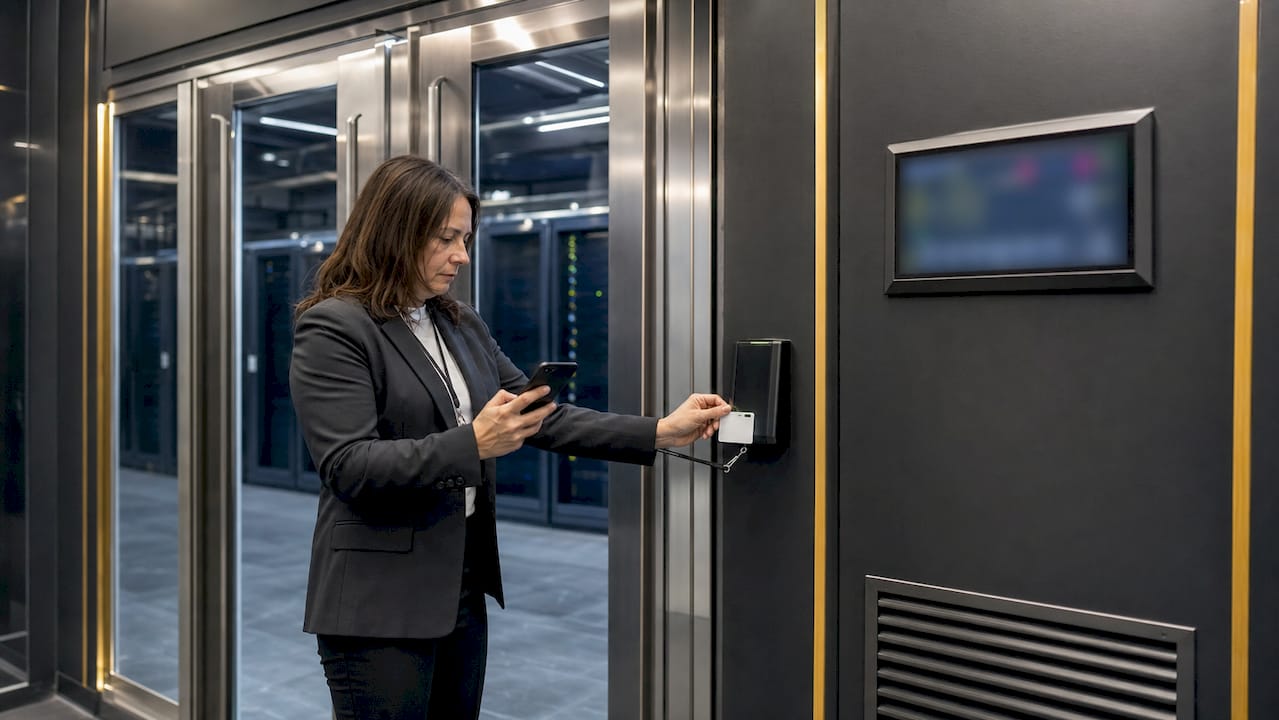
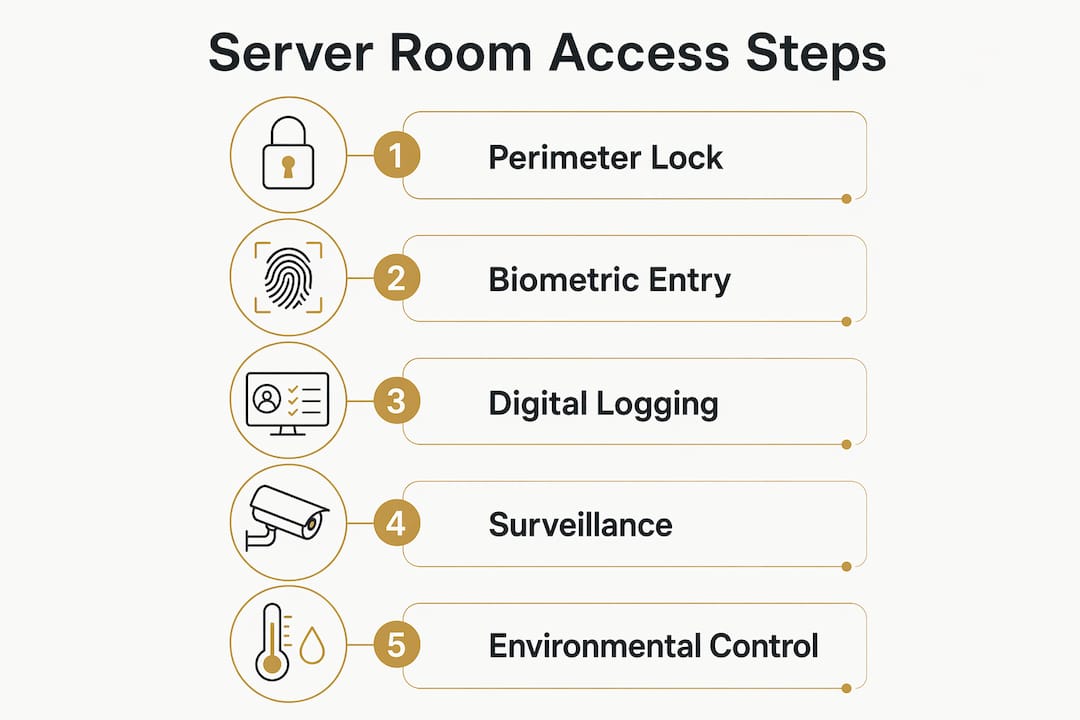
Physical defense starts at the perimeter of the room itself. Reinforced steel doors with electronic locks form the first barrier. Mantraps, which are double-door entry systems that prevent tailgating, add a second layer. Turnstiles work in larger data center environments where foot traffic is higher.
Authentication at the door should use at least two factors. Common options include:
- RFID access cards paired with PIN pads
- Biometric readers such as fingerprint or iris scanners
- Smartphone-based authentication using Bluetooth or NFC
- Door contact alarms that trigger when a door is held open beyond a set threshold
Surveillance cameras cover entry points, server aisles, and equipment bays. Camera placement must balance security coverage with any applicable privacy regulations. Footage should be retained for a minimum period aligned with your compliance obligations.
Environmental controls are part of physical security, not a separate concern. Redundant air conditioning units combined with continuous temperature and humidity monitoring prevent hardware failures that can be just as damaging as a physical intrusion. Water leak sensors under raised floors and fire detection systems with clean agent suppression protect against non-human threats. Fire-rated room construction limits damage spread if suppression fails.
Pro Tip: Store emergency mechanical keys in tamper-evident sealed envelopes inside a dedicated security safe, not in a desk drawer. An unsecured key bypasses every electronic control you have installed.
| Control layer | Examples | Primary threat addressed |
|---|---|---|
| Perimeter barriers | Reinforced doors, mantraps, turnstiles | Unauthorized entry, tailgating |
| Authentication devices | RFID cards, biometrics, PIN pads | Credential misuse, impersonation |
| Surveillance | IP cameras, motion sensors | Undetected intrusion, evidence gaps |
| Environmental monitoring | Temperature sensors, water detectors, fire suppression | Hardware failure, fire damage |
| Emergency key storage | Tamper-evident envelopes in safes | Bypass of electronic controls |
How does digital security complement physical access controls?
Physical locks keep people out. Digital controls track what happens once someone is in, and they govern remote access to the same infrastructure. Both layers must work together. A layered defense strategy combining physical barriers with digital monitoring is the standard security professionals rely on to prevent breaches effectively.
Integrating badge readers with a centralized access management platform creates a real-time audit trail. Every entry and exit is logged with a timestamp and identity. That log feeds directly into compliance reporting and forensic investigation when needed.
Digital controls for server room access should include:
- Network segmentation using VLANs to isolate management traffic from general business networks
- Multi-factor authentication (MFA) at every remote login point, not just the front door
- Privileged Access Management (PAM) systems to control and monitor administrative accounts
- Identity and Access Management (IAM) platforms that enforce least-privilege principles
- Centralized audit logs with a minimum one-year retention period in a tamper-proof format
- Automated alerts for unusual access patterns, such as logins outside business hours or from unexpected locations
Public exposure of SSH endpoints increases attack surface and makes audits significantly harder. Centralizing remote access through a hardened gateway or bastion host removes that exposure. Administrative access should be deliberate, restricted, and logged, with separate hardened devices controlling remote management sessions.
Pro Tip: Avoid shared service account credentials at all costs. Only 5.7% of organizations have full visibility into non-human identity service accounts. If you cannot see who is using an account, you cannot defend it.
Common risks and mistakes in server room access management
Most server room security failures are not sophisticated attacks. They are preventable operational mistakes that create gaps in otherwise solid defenses.
- Tailgating: One authorized person holds the door for an unauthorized one. Mantraps and strict no-piggybacking policies eliminate this.
- Propped doors: Staff prop server room doors open for convenience. Door contact alarms with immediate alerts stop this habit.
- Shared credentials: Multiple people using one login destroys accountability. Every individual needs a unique credential.
- Unsecured emergency keys: Emergency keys left in desks or unlocked cabinets bypass every electronic control in the room.
- Server room used as storage: Storing paper, cleaning supplies, or cardboard boxes in a server room creates fire hazards, obstructs airflow, and can void equipment warranties and insurance coverage.
“Physical access controls alone do not guarantee security. Personnel behavior, including tailgating and unescorted visitors, can negate physical barriers entirely if policies are not enforced alongside technology.”
The digital side has its own common failures. Over-reliance on MFA without broader identity governance leaves service accounts and shared credentials unmonitored. Only 5.7% of organizations have full visibility into non-human identity service accounts. That blind spot is a significant threat surface. Poor access design also slows incident response, because responders cannot quickly identify who had access or when.
Best practices for securing server room access in 2026
Effective server room security in 2026 requires a deliberate combination of physical controls, digital governance, environmental safeguards, and trained personnel. No single element covers all the gaps.
Physical and environmental controls:
- Install reinforced doors with electronic locks and mantraps at all entry points
- Deploy biometric or multi-factor authentication at the door, not just a PIN
- Use redundant air conditioning units with continuous temperature and humidity monitoring
- Install water leak sensors and fire suppression systems rated for electronic environments
- Conduct quarterly physical audits to check for propped doors, storage misuse, and camera blind spots
Digital governance and compliance:
- Enforce least-privilege access across all accounts, human and non-human
- Implement a PAM system to manage and monitor privileged sessions
- Maintain centralized, tamper-proof access logs with at least one-year retention
- Align access policies with ISO 27001 and NIST SP 800-53 control frameworks
- Review and recertify access rights every 90 days
Operational and policy controls:
- Train all staff on tailgating prevention, visitor escort requirements, and emergency procedures
- Design break-glass access procedures that are restricted, logged, and reviewed after every use
- Store emergency keys in tamper-evident envelopes inside a secure access safe
- Plan power redundancy with UPS systems and generator backup to prevent cooling failures during outages
Pro Tip: Treat your server room access review the same way you treat a software patch cycle. Schedule it, document it, and escalate unresolved findings. Security that is not reviewed is security that has already degraded.
The layered security approach is not a new concept, but most organizations still implement it incompletely. The gap is usually between physical and digital controls. Integrating badge access logs with your SIEM platform closes that gap and gives your incident response team the visibility they need.
Key Takeaways
Securing server room access requires layered physical controls, digital governance, environmental monitoring, and enforced personnel policies working together, not independently.
| Point | Details |
|---|---|
| Physical controls are foundational | Reinforced doors, mantraps, and biometric authentication form the first line of defense. |
| Digital and physical controls must integrate | Badge logs connected to centralized monitoring create the audit trail compliance requires. |
| Access logs need one-year retention | Tamper-proof log storage for at least one year satisfies ISO 27001 and forensic standards. |
| Human behavior is the most common failure point | Tailgating, propped doors, and shared credentials undermine even well-designed physical systems. |
| Emergency key storage is a critical detail | Keys stored in tamper-evident envelopes inside safes prevent bypass of electronic controls. |
The locked door is not enough: a perspective from Safes and Security Solutions
After working with businesses across a wide range of industries, the pattern is consistent. Organizations invest in badge readers and cameras, then assume the problem is solved. The locked door becomes a false sense of security rather than the first layer of a real defense.
The most dangerous assumption in server room security is that physical access and cybersecurity are separate disciplines. They are not. A person who walks into a server room with a USB drive can cause more damage in three minutes than a remote attacker can cause in three weeks. That reality demands that physical and digital controls share the same governance framework, not separate spreadsheets managed by different teams.
The other lesson is that policy without enforcement is theater. A no-tailgating rule that nobody enforces is worse than no rule at all, because it creates a false confidence that the risk is managed. The organizations that get this right train their people, audit their controls quarterly, and treat access management as an ongoing operational discipline rather than a one-time installation project.
Balancing security with operational access is a real tension. Friction slows legitimate work. The answer is not to reduce security. The answer is to design access systems that are fast and frictionless for authorized users while remaining genuinely difficult for everyone else. That design challenge is where most of the real work happens.
— Safes and Security Solutions
Physical security products for your server room
Server room security starts with the right hardware. Safes and Security Solutions carries professional-grade access control systems, surveillance cameras, and security safes designed for business environments where compliance and reliability are non-negotiable.

Whether you need a fire-resistant safe for emergency key storage, IP cameras for server room monitoring, or electronic lock systems for controlled entry, the product range at Safes and Security Solutions covers the physical layer of your defense. Every product is selected for durability and performance in demanding commercial settings. For teams building out or upgrading their server room security posture, securing your business premises starts with the right physical infrastructure. Browse the full catalog to find solutions that match your access control requirements and compliance obligations.
FAQ
Why is physical access control critical for server rooms?
Physical access control prevents unauthorized individuals from directly interacting with servers, which bypasses all network-level defenses. A person with physical access can steal drives, install malicious hardware, or disrupt cooling systems in minutes.
How long must server room access logs be retained?
Access logs must be stored for at least one year in a tamper-proof format to meet forensic and regulatory standards, including requirements aligned with ISO 27001.
What is the biggest human risk in server room security?
Tailgating, where an unauthorized person follows an authorized one through a secured door, is the most common human-factor vulnerability. Mantraps and enforced escort policies are the most effective countermeasures.
How should emergency server room keys be stored?
Emergency mechanical keys should be stored in tamper-evident sealed envelopes inside a locked safe. Leaving them in a desk drawer or unlocked cabinet effectively bypasses all electronic access controls.
Does MFA alone secure server room access?
MFA is necessary but not sufficient. Without broader identity governance, shared service accounts and unmonitored non-human identities remain a significant threat surface that MFA does not address.
Recommended
- Setting up access control systems: a complete 2026 guide – Safes and Security Direct
- How to secure business premises effectively in 2026 – Safes and Security Direct
- Office security plan: Step-by-step to a safer workplace – Safes and Security Direct
- How to Improve Home Security: Proven Steps for 2026 – Safes and Security Direct