

What Is Keyless Access? A Guide for Homes and Businesses
TL;DR:
- Keyless access uses digital credentials like PINs or biometrics to replace traditional keys and improve security. It enables instant revocation, detailed audit logs, and remote management, making access control more efficient and secure. Properly configured systems are more secure than mechanical locks and support scalable security for homes and businesses.
Keyless access is defined as any system that grants entry to a property or vehicle without a traditional metal key, using digital credentials instead. These systems replace physical keys with PIN codes, biometrics, smartphone apps, RFID cards, or key fobs. Commercial systems support hundreds of users with audit logs that mechanical keys cannot match. For homeowners and business owners alike, keyless access delivers a level of control, visibility, and convenience that a metal key simply cannot provide.
What is keyless access and how does it work?
Keyless access systems, also called electronic access control systems in the security industry, operate through three core components: a credential reader, a door controller, and management software. Users present a credential such as a PIN, card, fingerprint, or smartphone signal. The controller checks that credential against a database of authorized users and access rights. If the check passes, the door unlocks. Every event gets logged automatically.
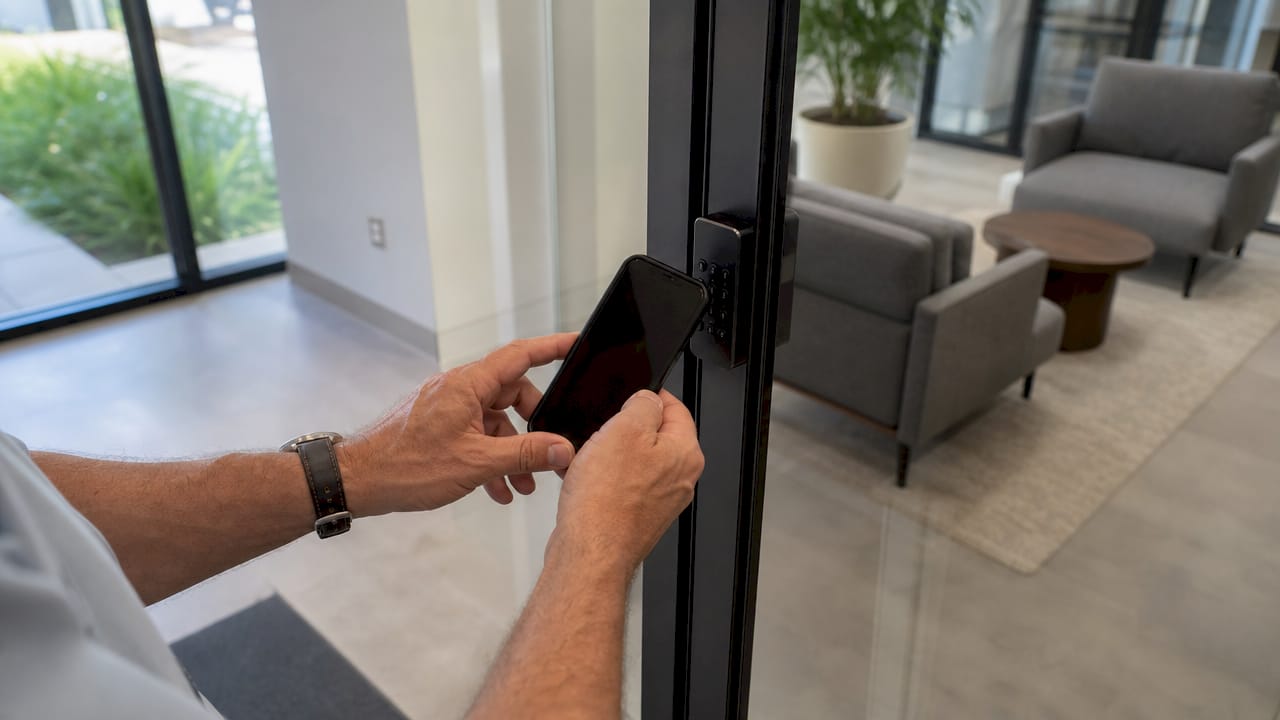
The credential itself varies by technology. PIN keypads require a memorized code. RFID cards and key fobs transmit a signal when held near a reader. Biometric readers scan a fingerprint or face. Smartphone apps communicate over Bluetooth or Wi-Fi. Each method has a different balance of convenience and security, and many systems let you combine two methods for stronger verification.
Automotive keyless entry works on a related but distinct principle. Most automotive systems use radio frequencies of 315 MHz in North America, with rolling codes that change after every use to block signal interception. Proximity unlocking goes further, triggering automatically as you approach the vehicle. The rolling code approach is the same reason your car remote cannot be easily cloned by someone standing nearby.
- Credential presentation. The user presents a PIN, card, fob, biometric scan, or app signal to the reader.
- Validation. The door controller checks the credential against the access database in real time.
- Authorization. The system confirms whether that credential has permission for that door at that time.
- Unlocking. The controller sends a signal to the electronic lock, releasing the door.
- Logging. The system records the event, the credential used, the door accessed, and the timestamp.
Pro Tip: Rotate PIN codes on a scheduled basis, at least every 90 days for shared spaces, and immediately after any employee departure. Static codes that never change are the digital equivalent of never rekeying a lock.
What types of keyless entry systems are available?
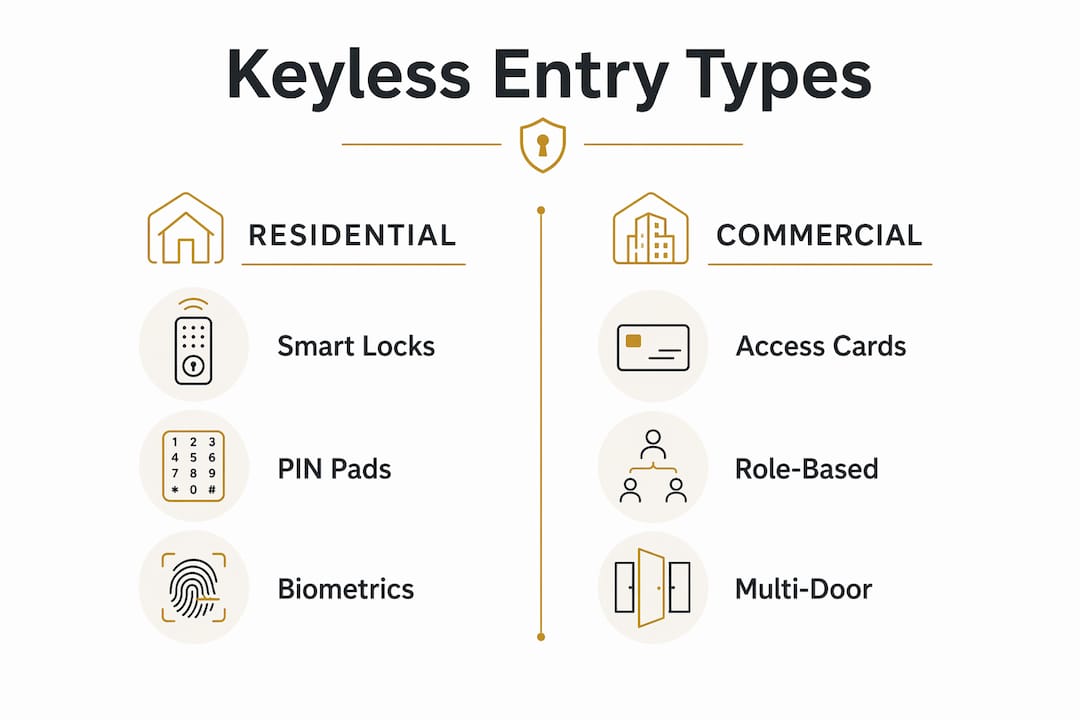
Keyless entry covers a wide range of technologies suited to different environments. Residential smart locks sit at one end of the spectrum. Commercial access control platforms sit at the other. Automotive systems occupy their own category. Understanding which type fits your situation prevents overspending on features you will not use or underspending on a system that cannot grow with you.
Residential smart locks are typically battery-powered and controlled through a smartphone app. They replace a standard deadbolt and require no wiring changes. Most support PIN codes, app access, and sometimes fingerprint scanning. They are ideal for homeowners who want to grant temporary access to guests or service providers without cutting a key. You can read more about how smart locks enhance security compared to traditional deadbolts.
Commercial systems are built for scale. They manage dozens or hundreds of users across multiple doors, with role-based permissions that restrict which employees can access which areas and at what times. Commercial-grade systems integrate with fire alarms and building management platforms to automatically unlock doors during an evacuation. That integration is rarely available in residential products.
| System type | Typical credential | User capacity | Key feature | Best for |
|---|---|---|---|---|
| Residential smart lock | PIN, app, fingerprint | 1–20 users | App-based remote control | Homeowners, small rentals |
| Commercial access control | RFID card, PIN, biometric | Hundreds of users | Role-based permissions, audit logs | Offices, warehouses, schools |
| Automotive keyless entry | Key fob, proximity | 1–5 drivers | Rolling code encryption, proximity unlock | Personal and fleet vehicles |
| Cloud-based enterprise platform | App, biometric, card | Unlimited users | Centralized multi-site management | Large organizations, campuses |
What are the benefits of keyless entry for individuals and businesses?
Keyless entry eliminates the most persistent problem with physical keys: you cannot lose, copy, or forget a digital credential the same way you lose a metal key. Instant credential revocation means a business can remove an ex-employee’s access in seconds, without calling a locksmith or replacing a lock cylinder. That speed matters in real security incidents.
The advantages extend well beyond lost-key scenarios:
- No rekeying costs. Traditional lock rekeying is labor-intensive and expensive. Digital credential changes cost nothing beyond a few clicks in the management software.
- Audit trails. Every access event is logged with a timestamp and credential ID. That traceability is impossible with mechanical keys.
- Time-based access. You can grant a contractor access only between 8 a.m. and 5 p.m. on weekdays, then have that permission expire automatically.
- Remote management. Unlock a door for a delivery driver from your phone without being on-site.
- Integration with surveillance. Keyless systems connect to video surveillance and occupancy tracking, giving security teams a complete picture of who is where and when.
- Biometric options. Fingerprint and facial recognition eliminate credential sharing entirely. You can learn more about biometric access for homes and businesses to see how this technology applies in practice.
Pro Tip: Choose a system that supports more users and doors than you currently need. Migrating to a new platform later costs far more than selecting a scalable one at the start.
Are keyless locks safe? Security considerations and best practices
The most common misconception about keyless access is that digital systems are less secure than physical locks. The opposite is true when systems are properly configured. Strong encryption, rolling codes, and policy-based access controls make a well-deployed keyless system significantly harder to defeat than a standard pin tumbler lock. The real risks are not in the hardware. They are in poor credential management.
Physical key loss risk shifts to digital infrastructure risk when you move to keyless access. That means your network, software, and credential policies become the security perimeter. A system with weak passwords on the admin account or credentials that never expire creates the same vulnerability as leaving a spare key under a doormat.
Best practices for secure deployment:
- Audit credentials regularly. Remove inactive users and expired permissions on a set schedule, not just when someone leaves.
- Apply least privilege. Grant each user access only to the doors they need, not every door in the building.
- Use layered security. Combine keyless entry with video surveillance and alarm systems for multiple detection layers.
- Enable emergency unlocking. Confirm your system integrates with fire and alarm systems for automatic unlocking during evacuations.
- Adopt ephemeral credentials where possible. Just-in-time access credentials that expire immediately after use reduce long-term exposure from reused or forgotten access grants.
The NIST framework and zero standing privilege models both point toward policy-driven, time-limited access as the gold standard. That principle applies equally to a server room and a front office door.
How keyless access improves property and facility management
Keyless access transforms facility management from a reactive task into a proactive one. Property managers no longer wait for a lost key report before acting. They manage access from a central dashboard, making changes that take effect immediately across every door in the building.
The operational improvements are concrete:
- Centralized credential management. Issue, modify, or revoke access for any user from one interface, without visiting the door or calling a locksmith.
- Visitor management integration. Grant temporary credentials to visitors or contractors that expire after their appointment, with no follow-up required.
- Occupancy tracking. Access logs feed directly into occupancy data, helping managers understand building usage patterns and reduce energy costs.
- Reduced labor costs. Eliminating physical key distribution removes the administrative overhead of key cutting, tracking, and collection across large teams.
- Emergency response. Commercial systems that connect to fire and alarm infrastructure can trigger building-wide unlocking automatically, reducing evacuation time and liability.
The audit trail alone justifies the investment for most businesses. Digital systems provide instant records of every access event, a level of traceability that mechanical keys cannot approach. That data supports compliance reporting, incident investigations, and insurance claims.
Key takeaways
Keyless access replaces physical keys with digital credentials, giving individuals and businesses real-time control, full audit trails, and instant revocation that mechanical locks cannot match.
| Point | Details |
|---|---|
| Core definition | Keyless access uses PINs, biometrics, apps, or RFID to replace physical keys entirely. |
| How it works | A reader, controller, and software validate credentials and log every access event automatically. |
| Security reality | Properly configured keyless systems are more secure than mechanical locks, not less. |
| Business efficiency | Instant credential revocation and audit logs eliminate rekeying costs and manual tracking. |
| Best practice | Apply least privilege, rotate credentials regularly, and integrate with surveillance and alarm systems. |
What I have learned from watching access control evolve
The shift from mechanical to digital access is not just a technology upgrade. It changes the entire relationship between a property owner and their security posture. When I look at how businesses managed access a decade ago, the contrast is stark. Lost key? Call a locksmith, rekey the lock, cut new keys for everyone. That process cost time, money, and created a window of vulnerability that nobody tracked.
What strikes me most about modern keyless systems is the audit trail. For the first time, a property owner can answer the question “who was in that room at 11 p.m. on Tuesday?” with certainty. That accountability changes behavior. People treat access differently when they know it is logged.
The trend I find most significant is the move toward ephemeral credentials. Granting access that expires automatically after a single use or a defined window is a fundamentally better security model than static keys or codes. It aligns with how the best IT security teams already think about privileged access. Physical security is catching up to that standard, and the gap is closing fast.
My advice to anyone evaluating keyless access: do not buy for your current situation. Buy for where you will be in three years. A system that cannot scale, integrate with your cameras, or support time-based permissions will cost you more to replace than it saved at purchase.
— Safes and Security Solutions
Keyless access solutions from Safes and Security Solutions
Safes and Security Solutions carries a full range of electronic lock systems for homes and businesses, from battery-powered smart locks for residential use to commercial-grade access control hardware built for multi-user environments.

Whether you are securing a single front door or managing access across an entire facility, the product catalog at Safes and Security Solutions includes options at every level of complexity and budget. Each product listing includes full specifications so you can match the right system to your actual requirements. Browse the range, compare features, and contact the support team for guidance on the right fit for your property.
FAQ
What is the difference between keyless access and keyless entry?
Keyless access and keyless entry refer to the same concept: entering a property or vehicle without a physical key using digital credentials. “Keyless entry” is the more common term in automotive and residential contexts, while “keyless access” is standard in commercial and enterprise security.
How secure are keyless entry systems compared to traditional locks?
Keyless entry systems with strong encryption and proper credential management are more secure than standard mechanical locks. The key risk is poor policy, such as shared PINs or credentials that are never revoked, not the technology itself.
Can keyless access systems be hacked?
Any digital system carries some risk, but well-designed keyless systems use rolling codes, encrypted communication, and multi-factor authentication to make attacks extremely difficult. Regular credential audits and software updates are the most effective defenses.
Do keyless locks work during a power outage?
Most battery-powered residential smart locks continue to function during a power outage. Commercial systems connected to building power typically include battery backup or fail-safe unlocking modes to maintain access and safety.
How do I install keyless access on my property?
Residential smart locks replace a standard deadbolt and require only basic tools and a smartphone app. Commercial systems require professional installation to wire readers, controllers, and integrate with existing security infrastructure.
Recommended
- Biometric Access Explained for Home and Business Security – Safes and Security Direct
- What is biometric security? Safer access for homes – Safes and Security Direct
- Advantages of electronic locks for home and business – Safes and Security Direct
- Home security terminology explained: a clear guide – Safes and Security Direct