

What Is a Retail Security System: A Manager's Guide
TL;DR:
- A retail security system integrates hardware, software, and procedures to detect, deter, and document theft and safety incidents. It combines video surveillance, electronic article surveillance, access control, alarms, and POS monitoring into a coordinated system to reduce shrink and improve response times. Proper planning, maintenance, and staff training are essential for long-term effectiveness and operational returns.
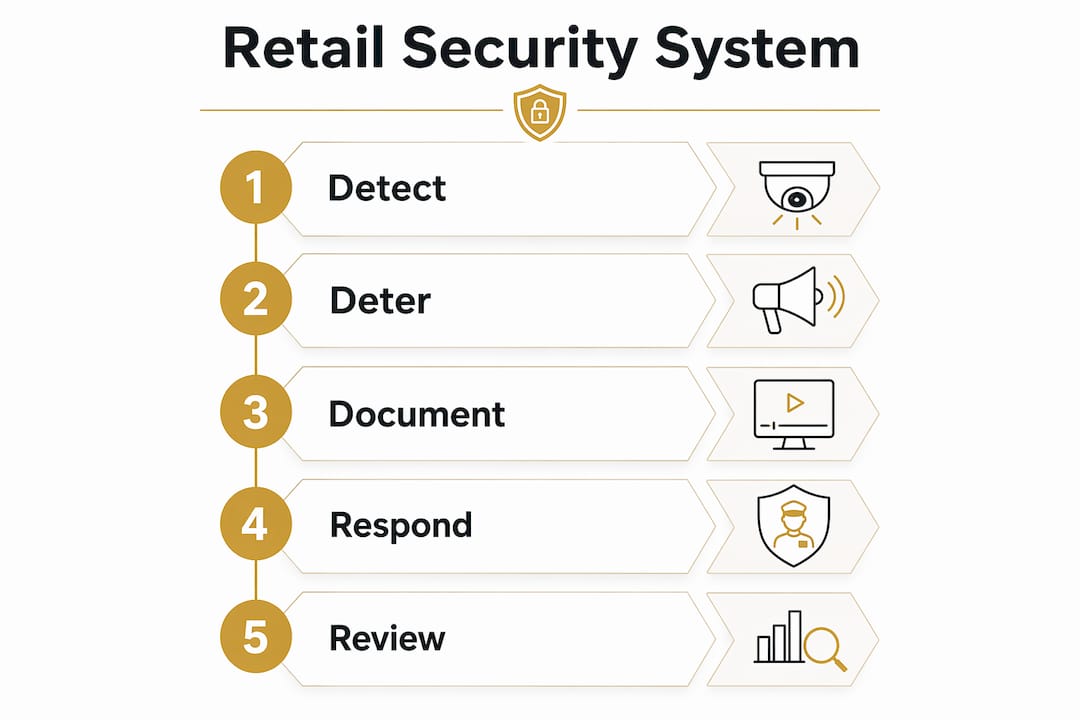
A retail security system is an integrated set of hardware, software, and operating procedures designed to detect, deter, and document theft, fraud, and safety incidents across your entire store environment. That three-phase model — detection, deterrence, and documentation — is the operational spine every effective system is built around. Detection catches the threat early. Deterrence discourages it before it happens. Documentation turns what the system captured into usable evidence for investigations, civil recovery, and law enforcement.
Every complete retail security setup shares five core components:
- Video surveillance with a video management system (VMS)
- Electronic article surveillance (EAS) or RFID at exits and on merchandise
- POS monitoring and exception reporting tied to transaction data
- Access control for stockrooms, offices, and receiving areas
- Alarms and sensors for perimeter, motion, and environmental threats
No single device does the job alone. The three-phase framework works because these components share data and trigger coordinated responses.
Table of Contents
- What components make up a retail security system?
- How does a retail security system work end-to-end?
- Which technologies should you actually invest in?
- What does a typical setup look like by store size?
- What business outcomes can you expect from a retail security system?
- How do you choose and implement a retail security system?
- What U.S. legal and privacy rules apply to retail security systems?
- How do you keep a retail security system working over time?
- Key Takeaways
- The case for treating security as an operating system
- How Safes and Security Solutions can help you get started
- Useful sources
What components make up a retail security system?
Each component in a retail security setup has a specific job. Understanding what each one does — and how it hands off to the next — is how you avoid buying equipment that sits in silos.
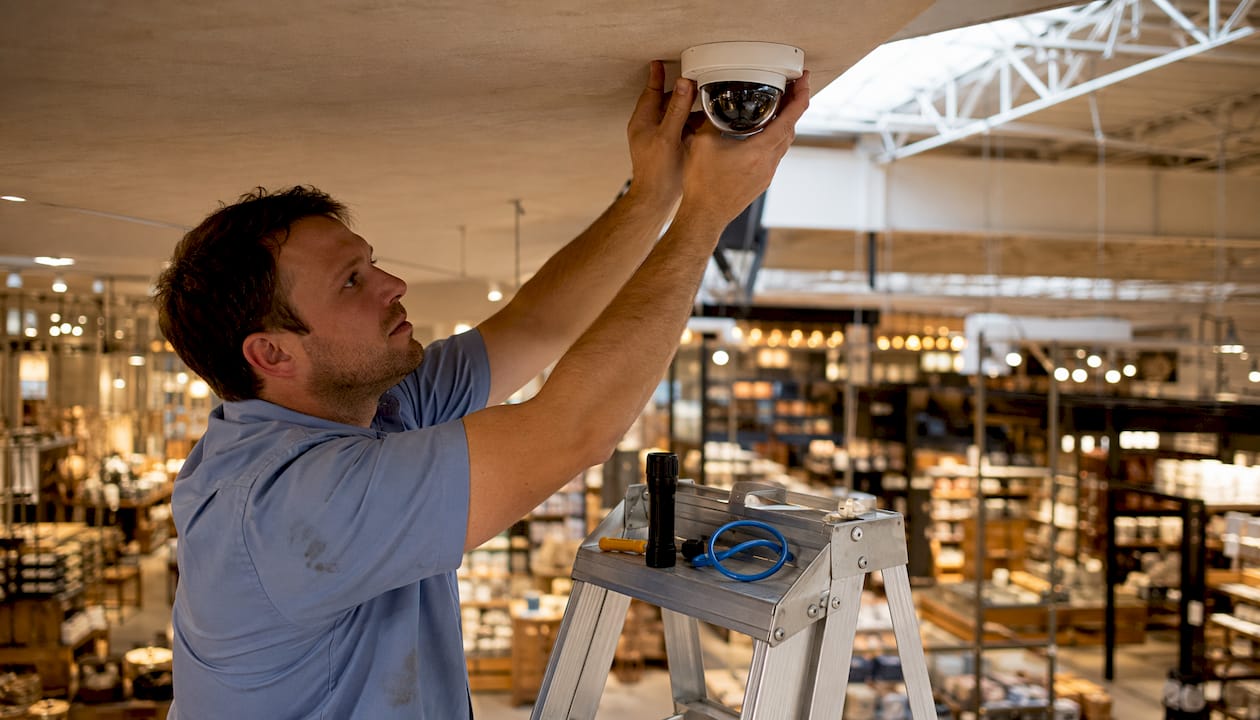
Video surveillance and VMS. IP cameras capture continuous footage, and a VMS indexes it by timestamp, camera ID, and triggered events. The VMS speeds up footage searching significantly during an investigation. Modern systems pair cameras with onboard or cloud-based analytics that flag loitering, abandoned objects, or unusual crowd density to reduce the need for constant monitoring.
Electronic article surveillance (EAS) and RFID. EAS pedestals at store exits detect active tags on merchandise. When a tag hasn’t been deactivated at the register, the pedestal triggers an alert. EAS systems come in three technical flavors: RF (radio frequency at 8.2 MHz), AM (acousto-magnetic at 58 kHz), and RFID. RF is the most common and least expensive. AM offers better detection range and fewer false positives from metal or foil packaging. RFID does double duty — it deters theft at exits and feeds real-time inventory data back to your stock management system.
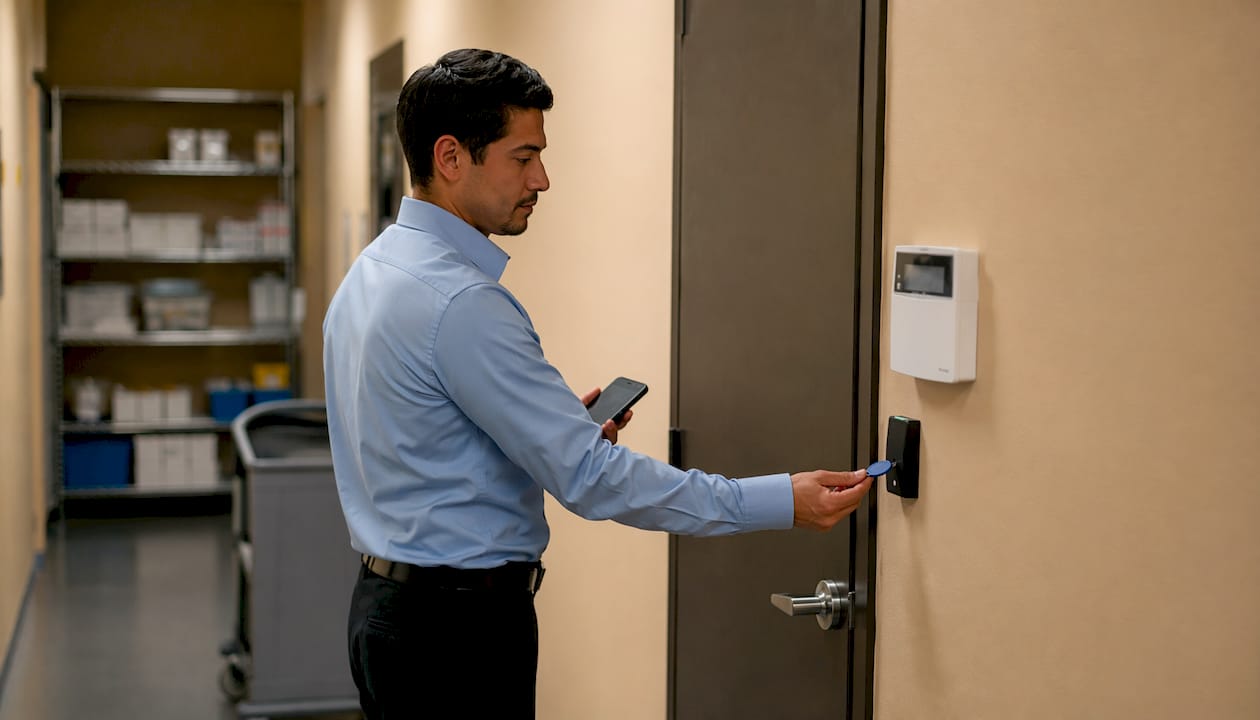
Access control. Electronic locks, key fob readers, and PIN pads on stockroom doors, pharmacy counters, and server rooms restrict who can enter sensitive areas and log every access event with a timestamp. That log becomes critical when internal theft is suspected.
Alarms and sensors. Motion detectors, door/window contacts, glass-break sensors, and duress buttons form the perimeter and interior alarm layer. Under-counter panic buttons give employees a silent way to summon help during a robbery without escalating the situation.
POS monitoring and exception reporting. This is where a lot of stores leave money on the table. POS exception reporting flags anomalies — excessive voids, no-sale drawer opens, refunds without a receipt scan, or transactions rung by the same cashier at unusually high discount rates. Paired with video, these flags become evidence packages rather than suspicions.
Inventory tracking. RFID-enabled inventory systems update stock counts in near real time, which means shrink shows up on a dashboard the same day rather than at the next physical count. That speed matters when you’re trying to identify whether losses are coming from the floor, the stockroom, or the loading dock.
Communications tools. Two-way radios, push-to-talk apps, and panic button solutions keep floor staff, loss prevention, and management connected. When an EAS alarm triggers, the response is only as fast as the communication chain behind it.
Pro Tip: Treat these components as layers in a single operating system, not as independent devices. A camera that can’t talk to your POS, and a POS that can’t pull up the matching video clip, gives you half the evidence you need and twice the investigation time.
How does a retail security system work end-to-end?
The operational flow of a retail security system follows a consistent pattern regardless of store size. Here’s how a typical alert scenario moves from trigger to resolution:
- Sensing and detection. A sensor, camera analytic, EAS pedestal, or POS exception rule fires an alert. The system timestamps the event and logs it with a unique incident ID.
- Verification and triage. A staff member, loss prevention officer, or remote monitoring agent reviews the alert. For camera-based analytics, this means pulling the live or recorded clip. For a POS exception, it means cross-referencing the transaction with the video feed from that register.
- Response and escalation. If the alert is confirmed, the appropriate response is dispatched: a floor associate approaches the customer, a manager reviews the footage, or law enforcement is contacted. Verified alerts reduce false dispatches and protect your relationship with local police.
- Evidence packaging and follow-up. The incident is logged with timestamps, exported footage clips, POS transaction records, and access control logs. This package supports civil recovery, insurance claims, or prosecution.
A concrete example: an EAS pedestal triggers at the front exit. The VMS automatically clips the 30 seconds before and after the alarm. The loss prevention manager pulls the clip, cross-checks it against the POS log for that register, and confirms no deactivation occurred at checkout. The incident report is filed with the video clip and transaction record attached. That’s the documentation phase doing its job.
A few operational details that matter:
- Every event should carry a synchronized timestamp across all systems (cameras, POS, access control). Unsynchronized clocks are one of the most common reasons footage is inadmissible.
- Export logs should record who accessed footage, when, and why. Chain-of-custody documentation is often overlooked until it’s needed in court.
- POS-video correlation is the fastest path to identifying cashier fraud like sweethearting, where a cashier passes merchandise to a friend without scanning it.
Which technologies should you actually invest in?
The technology market for retail security is wide, and not every store needs the same stack. Here’s a breakdown of the major categories, their strengths, and where they fall short.
IP cameras and video analytics
Modern IP cameras deliver high-resolution footage over your existing network infrastructure. Analytics-enabled systems add a layer of automated detection — people counting, dwell-time analysis, license plate recognition, and behavioral flagging. The tradeoff is false-positive rate: poorly tuned analytics generate alert fatigue fast, and your staff will start ignoring notifications within weeks. Plan to spend time calibrating rules after installation.
Cloud VMS vs. on-premises NVR
Cloud VMS platforms eliminate the need for local servers and make cross-store analytics accessible from any browser. They also carry recurring monthly fees that scale with camera count and storage duration. On-premises NVR systems have higher upfront hardware costs but no ongoing subscription. For a single-location store with tight margins, on-prem may pencil out better. For a multi-location operator who needs centralized visibility, cloud VMS pays for itself in reduced IT overhead and faster incident response.
EAS variants
RF EAS is inexpensive and widely deployed, but it produces more false positives near metallic packaging. AM EAS costs more per pedestal but performs better in high-traffic environments with complex merchandise mixes. RFID adds inventory management capability on top of exit detection, making it the right choice when shrink reduction and stock accuracy are both priorities.
Access control options
Cloud-based access control lets you manage door permissions remotely, audit access logs in real time, and revoke credentials instantly when an employee leaves. Traditional hardwired systems are more reliable in environments with poor network connectivity but require on-site management.
POS integration platforms
Exception-based reporting platforms ingest transaction data from your POS and apply rule sets to flag anomalies. The best ones link directly to your VMS so a flagged transaction pulls up the matching video clip automatically. This is where operational intelligence — detecting voids, discount abuse, and repeat return fraud — delivers ROI beyond pure theft prevention.
| Technology Category | Typical Strengths | Common Limitations |
|---|---|---|
| Entry-level fixed cameras | Low cost, simple setup | No analytics, manual review only |
| Analytics-enabled IP systems | Automated alerts, behavioral detection | Requires tuning; false positives if misconfigured |
| RF EAS | Inexpensive, widely available | Higher false-positive rate near foil/metal |
| AM EAS | Better detection range, fewer false alarms | Higher per-pedestal cost |
| RFID inventory tracking | Dual-purpose: theft prevention + stock accuracy | Higher tag cost; requires reader infrastructure |
| Cloud VMS | Remote access, multi-store analytics | Recurring fees; requires secure network |
| On-premises NVR | No recurring costs, reliable offline | Higher upfront cost; limited remote access |
| POS exception reporting | Exposes internal fraud and procedural errors | Requires clean POS data and integration work |
Pro Tip: Design for integration from day one. Planning your POS, access control, and inventory data connections during the initial design phase costs a fraction of what a retrofit costs later. Failing to integrate upfront is one of the most expensive mistakes retailers make.
What does a typical setup look like by store size?
Store size and format drive configuration more than any other variable. Here are three representative setups.
Small storefront (under 3,000 sq. ft., single location)
A boutique, pharmacy, or specialty retailer at this scale typically needs several IP cameras covering the sales floor, entrance, register, and stockroom. EAS pedestals at the exit, a basic alarm panel with door and motion sensors, and a cloud VMS subscription cover the core. POS exception reporting can be added as a software layer on top of most point-of-sale systems. Access control on the stockroom door rounds out the setup. Total rollout from site survey to go-live typically takes a few weeks.
Medium multi-location retailer (3,000–15,000 sq. ft. per location, 2–10 stores)
This is where centralized cloud management starts earning its cost. Each location runs multiple cameras, several EAS pedestals, cloud access control on stockroom and office doors, and a full POS exception reporting integration. A centralized VMS dashboard lets a loss prevention manager monitor all locations from one screen and pull footage from any store without traveling. Staff at each location carry two-way radios or a push-to-talk app. Rollout per location generally takes several weeks, with staggered deployment across the chain.
Large-format or anchor store (15,000+ sq. ft.)
Big-box and anchor stores add complexity: multiple entrances, loading docks, pharmacy counters, and high-value merchandise sections each need dedicated coverage. Camera counts are high to cover the extensive environment. RFID inventory tracking replaces or supplements standard EAS. A dedicated security office with a live monitoring station, a Guard Tour Management System (GTMS) for patrol accountability, and integration with a Security Operations Center (SOC) for after-hours monitoring are standard at this scale. Budget for a phased rollout of several weeks, with a dedicated project manager coordinating cabling, hardware, and software integration.
A layered security plan applies at every store size: the goal is overlapping coverage so no single failure leaves a blind spot.
What business outcomes can you expect from a retail security system?
The business case for a retail security system goes well beyond stopping shoplifters. Here are the primary outcomes and the KPIs that tell you whether the system is working.
Shrink reduction is the headline metric. A properly implemented system with EAS, POS exception reporting, and analytics addresses all four sources of shrink: external theft, internal theft, vendor fraud, and administrative error. Tracking your shrink rate before and after implementation gives you a clean ROI baseline.
Faster incident response. When an alert triggers a verified clip rather than a raw alarm, your staff responds to confirmed threats instead of chasing false positives. Average time-to-evidence drops from hours to minutes when POS and video are linked.
Employee safety. Panic buttons, license plate recognition at parking lots, and live agent verification mean your team has a faster path to help during a robbery or violent incident. That matters for staff retention as much as for safety.
Operational intelligence. Analytics can detect procedural errors, excessive voids, and repeat return fraud that no camera alone would flag. These non-theft losses often represent a larger share of shrink than external theft at well-secured stores.
KPIs worth tracking from day one:
- Shrink rate (as a percentage of sales, measured quarterly)
- Incident closure rate (percentage of flagged incidents resolved with documented evidence)
- Average time-to-evidence (from alert trigger to packaged clip + transaction record)
- POS exception frequency (number of flagged transactions per week, trended over time)
- Footage retention compliance (percentage of footage retained per policy, audited monthly)
- Staff response time (average minutes from alert to floor response)
On ROI framing: a store running 2% shrink on $2 million in annual sales loses $40,000 a year before any security investment. A system that cuts shrink by a third pays for itself in the first year at most small-to-medium store scales. Security is a cost center only when it’s treated as a standalone expense rather than an operational investment with measurable returns.
How do you choose and implement a retail security system?
Procurement without preparation wastes money. Follow this sequence to avoid the most common mistakes.
- Run a risk assessment. Walk every square foot of the store and identify blind spots, high-value merchandise locations, cash handling points, and after-hours entry risks. Pull your last 12 months of shrink data and incident reports to quantify the problem before you scope a solution.
- Commission a site survey. A qualified integrator will document camera mounting positions, cable runs, power requirements, and network capacity. This survey is the foundation of your scope of work.
- Define your retention policy. Decide how long footage needs to be stored before you buy storage. Industry practice runs 30–90 days for general retail; high-shrink locations often extend to 180 days. Your retention policy drives your storage budget.
-
Ask vendors the right questions. Before signing anything, get clear answers on:
- How does your system integrate with our POS and inventory platform?
- Is storage cloud, on-prem, or hybrid — and what are the recurring costs?
- What are the export and chain-of-custody features for law enforcement requests?
- How do you tune analytics to reduce false positives after installation?
- What are your service-level agreements for hardware replacement and software support?
- What cybersecurity controls are built into the platform (encryption, access logging, patch cadence)?
- Build your scope of work. Document camera counts and positions, cabling plan, hardware specs and warranty terms, software licensing model, and integration requirements. This document protects you during installation and at renewal.
- Deploy in phases. For multi-location rollouts, start with one pilot store. Validate the integration, tune the analytics, and train staff before scaling. Rushing a chain-wide deployment amplifies every configuration mistake.
- Train staff before go-live. Every employee who interacts with the system needs role-specific training: how to respond to an EAS alarm, how to pull a clip for a manager, how to use the panic button. Build a training checklist and set a quarterly refresh cadence.
For budget planning: small stores typically spend in the low-to-mid four figures for a complete hardware-and-software setup. Medium multi-location retailers should budget per location and account for integration and project management costs. Large-format stores with RFID, SOC integration, and GTMS are five-figure projects per location. A security setup workflow adapted to your store’s footprint keeps the deployment on schedule and on budget.
What U.S. legal and privacy rules apply to retail security systems?
Recording customers and employees in a U.S. retail environment is lawful in most circumstances, but the details matter. Getting them wrong can make footage inadmissible, expose you to civil liability, or trigger regulatory action.
Signage and notice. Most states require visible notice that video surveillance is in use. A posted sign at each entrance is the standard approach. Audio recording carries stricter rules: several states, including California, require all-party consent for audio capture, so most retail systems record video only.
Employee privacy. Recording in areas where employees have a reasonable expectation of privacy — restrooms, locker rooms, and break rooms in some states — is prohibited. Back-of-house areas like stockrooms and receiving docks are generally permissible with proper notice.
CCPA and state privacy statutes. California’s Consumer Privacy Act and similar state-level rules affect how you store, access, and disclose footage that may contain identifiable individuals. Controlled access to footage, documented export logs, and a written retention policy are the practical compliance steps that protect you under these frameworks.
Retention guidance. Industry practice and legal defensibility point to the same ranges:
| Retention Scenario | Typical Duration | Notes |
|---|---|---|
| General commercial retail | 30–90 days | Standard industry range for routine footage |
| High-shrink or high-risk locations | Up to 180 days | Extended to support pattern investigations |
| Active incident or litigation hold | Indefinitely until resolved | Preserve all relevant footage immediately |
| Law enforcement request | Per subpoena or request terms | Export and log the chain of custody |
Practical compliance steps every store should implement:
- A written retention policy specifying duration by location type and incident status
- Role-based access controls so only authorized personnel can view or export footage
- An export log recording every access event with user ID, timestamp, and stated purpose
- A written procedure for responding to law enforcement requests and subpoenas
Consult a qualified attorney for store- or state-specific legal questions, since privacy rules vary significantly across jurisdictions.
How do you keep a retail security system working over time?
A system that isn’t maintained degrades faster than most managers expect. Cameras drift out of alignment. Sensor batteries die. Software updates get skipped. Here’s the maintenance and training rhythm that keeps a system reliable.
Weekly checks:
- Review camera health dashboard for offline or degraded feeds
- Confirm backup and cloud sync completed successfully
- Check alarm panel for fault indicators
Monthly checks:
- Test all door and motion sensors manually
- Verify EAS pedestal sensitivity with a test tag
- Review POS exception report trends for new anomalies
- Confirm footage retention is meeting policy (spot-check three random dates)
Quarterly checks:
- Full alarm system test with your monitoring provider
- Replace sensor batteries on a scheduled rotation
- Apply pending software and firmware updates
- Run a staff training refresher covering response procedures and any system changes
The incident review cycle is where continuous improvement happens. After every significant incident, pull the evidence package and ask: Did the system detect it? How long did verification take? Was the response appropriate? Use the answers to tune analytics rules and update written procedures.
Pro Tip: Alarm fatigue is the silent killer of retail security programs. When alerts fire constantly and nothing happens, staff stop responding. A centralized triage layer — either an in-house SOC or a monitored verification service — filters noise before it reaches your floor team. Guard Tour Management Systems add GPS-verified, timestamped patrol logs that raise accountability without adding headcount.
Staff training responsibilities by role:
- All store employees: EAS alarm response, panic button use, and basic incident reporting
- Managers and supervisors: VMS clip retrieval, POS exception review, and escalation procedures
- Loss prevention staff: Full system operation, analytics tuning, evidence packaging, and law enforcement coordination
- IT or systems administrator: Software updates, network security, backup verification, and vendor coordination
Key Takeaways
A retail security system works because detection, deterrence, and documentation operate as a single integrated loop — not as three separate investments.
| Point | Details |
|---|---|
| Three-phase model | Every effective system must detect, deter, and document — all three phases, not just one. |
| Integration is the multiplier | POS and video linked together turn a suspicion into evidence; unlinked, they’re just data. |
| Retention policy drives storage | Plan 30–90 days for general retail, up to 180 days for high-shrink locations, before buying storage. |
| Maintenance prevents failure | Weekly camera checks, monthly sensor tests, and quarterly staff refreshers keep the system reliable. |
| Safes and Security Solutions | Offers commercial-grade surveillance cameras, access control hardware, and safes for cash management — a practical starting point for U.S. retailers building or upgrading their security setup. |
The case for treating security as an operating system
Most retailers buy security equipment the way they buy furniture: once, reactively, after something goes wrong. That’s the wrong frame. A retail security system is an operating system for loss prevention and safety — it requires the same ongoing attention as your POS software or your inventory platform.
The retailers who get the best return from their security investment share one habit: they treat the analytics data as a management tool, not just a forensics tool. Voids, discount abuse, and repeat return patterns show up in exception reports weeks before they show up in shrink numbers. That lead time is the difference between catching a problem early and discovering it at year-end inventory.
The other thing most guides understate is the human side. Technology doesn’t prevent theft. Trained people using technology prevent theft. A camera that nobody checks, an alarm that nobody responds to, and a POS exception report that nobody reads are expensive decorations. The security best practices that actually move the needle combine regular system maintenance with a staff culture that takes the procedures seriously. That combination — good hardware, integrated software, and trained people — is what the research consistently points to as the foundation of an effective retail security program.
How Safes and Security Solutions can help you get started
Retailers who know what they need shouldn’t have to wade through a general-purpose electronics catalog to find it. Safes and Security Solutions carries commercial-grade surveillance camera systems with cloud storage and mobile alerts, access control hardware, and a full range of safes built for cash management, pharmacy compliance, and high-value merchandise storage — all in one place.

Whether you’re outfitting a single storefront or standardizing equipment across multiple locations, the product catalog at Safes and Security Solutions is built around the same integrated approach this guide describes: cameras that work with your network, safes that meet commercial security standards, and hardware specified for retail environments rather than residential ones. Warranty and product support details are listed on each product page.
Browse the full catalog and request a quote at Safes and Security Direct — or start with the security system components guide to identify exactly which hardware your store needs before you buy.
Useful sources
The following references were used in preparing this guide and are worth bookmarking for deeper research:
-
Security Systems Authority — Retail Security Systems: Detailed technical coverage of the detection-deterrence-documentation framework, EAS technology variants (RF, AM, RFID), and footage retention guidance. Good starting point for component specifications.
-
Solink — Modern Retail Security: The Complete Strategic Guide: Covers cloud VMS tradeoffs, POS-video integration for exception reporting, and how analytics generate operational ROI beyond theft prevention. Useful for multi-location operators evaluating cloud platforms.
-
Overton Security Services — Security in Retail: 2026 Guide to Loss Prevention: Practical guidance on SOC models, Guard Tour Management Systems, staffing structures, and written procedure development. Strong resource for the operational and training side of retail security.
-
Motorola Solutions — Retail Security Systems: Overview of integrated retail security technology including two-way radios, body cameras, panic button solutions, and communications tools for floor staff and emergency coordination.
-
Novagems — Retail Security and Loss Prevention Guide: Covers the full threat landscape including organized retail crime, employee theft, and refund fraud, with a breakdown of service categories and technology stack components.
Recommended
- Why Protect Retail Property: A 2026 Owner’s Guide – Safes and Security Direct
- How to set up a security system that actually works – Safes and Security Direct
- Why Choose Commercial-Grade Security Systems – Safes and Security Direct
- How to secure property effectively: A practical guide – Safes and Security Direct