

Securing Agent Commission Records: A Storage Guide
Use a document-rated fire safe for original paper commission records, a data-rated safe for backup drives or tapes, and a fire-resistant filing cabinet if your staff needs daily access to active files. Look for an appropriate fire rating on paper storage, typically suitable to protect important records. If you’re protecting digital backups, confirm the unit meets a data-media class like EN 1047-1 S 60 DIS or S 120 DIS, since standard document safes run too hot inside to protect drives during a fire. Safes and Security Solutions supplies units across all three categories, which makes it easier to spec the whole setup from one source instead of guessing at compatibility between vendors.
For quick implementation:
- Size the unit for some extra capacity beyond your current needs to allow for growth.
- Choose electronic or dual-access locks based on how many staff need entry.
- Bolt the unit down and place it on the ground floor.
- Keep at least one backup copy off-site or in the cloud.
Key Takeaways
Protecting agent commission records requires matching fire rating, media type, and access needs to the correct storage category rather than buying on size or price alone.
| Point | Details |
|---|---|
| Match storage to content | Use document safes for paper, data safes for drives, cabinets for daily-access files. |
| Set a fire rating floor | Choose 60 minutes for important records, 90 to 120 minutes for irreplaceable originals. |
| Size with room to grow | Add 25 to 30% spare capacity beyond current file volume. |
| Separate digital backups | Keep drives and tapes in a data-rated safe, never a paper-rated one. |
| Work with a specialized supplier | Safes and Security Solutions supplies document, data, and combo safes matched to office risk profiles. |
Reference standards and specification guides
- EN 1047-1 media classes and fire safe fundamentals
- Fire safe vs. data safe vs. filing cabinet comparison
- Fire ratings explained for safes and cabinets
- Fire safe sizing guidance
- Best fireproof document safe options
Table of Contents
- Which Type of Safe Fits Your Commission Records?
- How Long Should a Fire Rating Last?
- How Much Interior Space Do You Actually Need?
- Which Lock Type Fits an Office With Staff Turnover?
- Where Should You Place and Anchor the Unit?
- What Buying Mistakes Cost Offices the Most?
- How Do You Keep Records Protected Over Time?
- What Products Fit Common Office Profiles?
- Sources
Which Type of Safe Fits Your Commission Records?
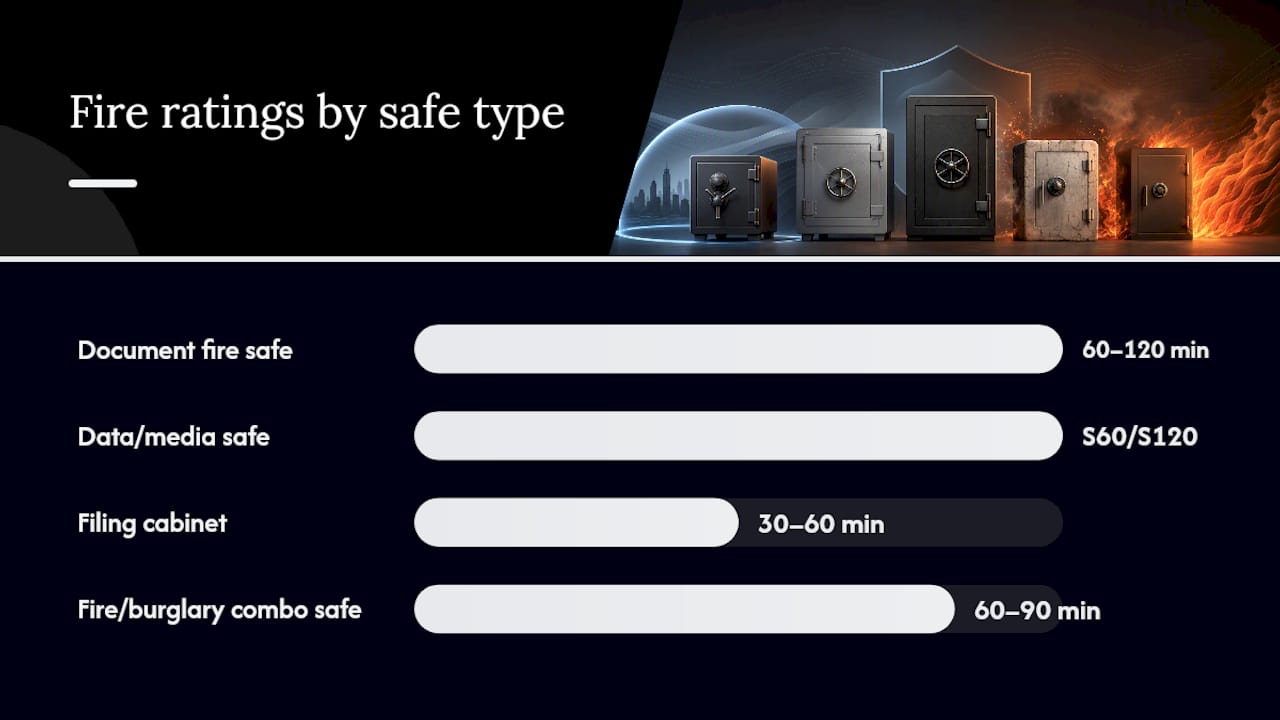
Most offices are actually storing four different kinds of material, and each one needs a different box. Paper commission statements, signed agent agreements, and payout ledgers belong in a document fire safe, built specifically to keep interior temperatures low enough to prevent paper from charring. Hard drives, USB backups, and tape archives need a data/media safe, rated to a much stricter internal temperature and humidity ceiling, because digital media deteriorates at temperatures far below paper’s ignition point. High-volume offices juggling hundreds of active client files often do better with a fire-resistant filing cabinet, which trades some fire protection for drawer-based organization and faster daily retrieval. And if theft risk runs alongside fire risk (think cash commission advances or sensitive originals), a fire/burglary combo safe covers both threats in one unit, since burglary-rated and fire-rated safes are built to different specifications and rarely overlap by accident.
| Category | Best for | Fire rating | Lock/access | Installation |
|---|---|---|---|---|
| Document fire safe | Paper originals, contracts | 60 to 120 min | Key, dial, electronic | Light, portable |
| Data/media safe | Drives, tapes, USB backups | S 60 DIS / S 120 DIS | Electronic, dual-key | Moderate, ventilated space |
| Fire-resistant filing cabinet | High-volume active files | 30 to 60 min | Key or electronic drawer lock | Floor-load check |
| Fire/burglary combo safe | Cash plus critical originals | 60 to 90 min | Electronic, biometric | Bolt-down, professional install |
Most brokerage offices end up running two units side by side: a filing cabinet for the files staff touch every day, and a separate document or data safe for what can’t be replaced. Safes and Security Direct stocks all four categories, so you can match specs without piecing together a system from three different suppliers.
How Long Should a Fire Rating Last?
A practical baseline fire rating is commonly chosen for important paper commission records. If a file is genuinely irreplaceable, an original signed agreement with no digital copy, push for 90 to 120 minutes instead, since a 60-minute rating is common for general office documents while 90 to 120 minutes suits higher-risk material.
Data media plays by different rules entirely. Paper can survive short exposure well above 350°F, but hard drives and tape start degrading at far lower temperatures, which is why EN 1047-1 created the S 60 DIS and S 120 DIS classifications specifically for data storage, and why UL and ETL maintain separate media-class certifications alongside their standard paper ratings.
Statistic Callout: One independent test found a UL-classified one-hour safe holding interior temperatures under 350°F even as external heat reached 1,700°F, a margin that protects paper but still runs too hot for most digital media.
A simple decision rule works here:
- Replaceable but important paper: 60 minutes.
- Critical, hard-to-replace originals: 90 to 120 minutes.
- Any digital backup media: a purpose-built data safe, regardless of the paper rating on hand.
Keep in mind that higher ratings mean thicker insulation, more weight, and a bigger installation footprint, so don’t over-spec a rating you don’t need just because it sounds safer.
How Much Interior Space Do You Actually Need?
That cushion accounts for new agent files, renewal paperwork, and the commission statements that pile up faster than most offices expect, and industry sizing guidance consistently recommends leaving some extra capacity to avoid overfilling a unit within a year or two. to avoid overfilling a unit within a year or two.
Usable interior space matters more than the exterior dimensions printed on the box. Check clear shelf width and height, whether drawers accommodate letter or legal-size folders without trimming, and whether shelves are removable if you need to store binders or boxed archives. A fire-resistant filing cabinet built for legal-size hanging folders can hold dramatically more active files than a safe of similar exterior footprint, simply because drawers use interior space more efficiently than a single-door cavity.
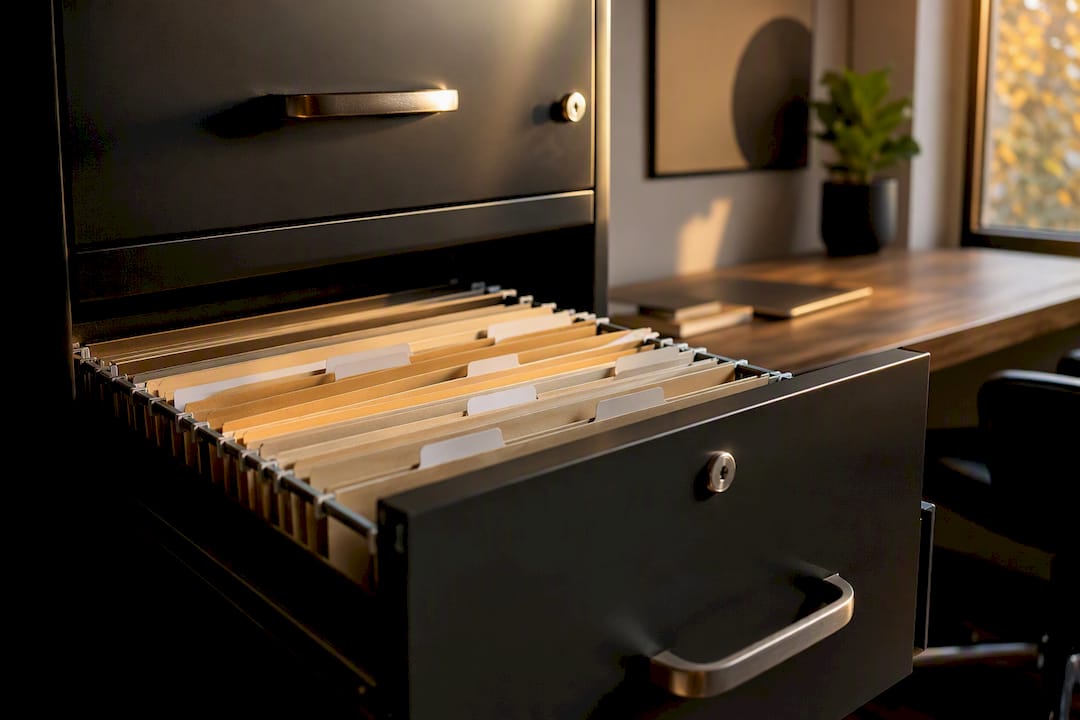
Access frequency should drive the final call. If a file gets pulled once a quarter, a safe works fine. If your team is in and out of a drawer five times a day, a fireproof filing cabinet will save real time and reduce wear on both the documents and the hinges.
Which Lock Type Fits an Office With Staff Turnover?
Electronic keypad locks make the most sense when multiple employees need access and turnover is a fact of life. You reprogram a code in seconds instead of rekeying a lock or tracking down a lost key. Single-admin offices, where one person controls access, often do fine with a mechanical dial or keyed lock, which costs less and never needs a battery.
A quick comparison:
- Keyed locks: cheap and reliable, but lost keys mean a locksmith call.
- Mechanical dial: no batteries, but combination changes take more effort.
- Electronic keypad: fast code changes, some units log access history.
- Biometric: fastest audit trail, but adds cost and depends on backup access if a sensor fails.
Pro Tip: Require a code change every time an employee with safe access leaves the company, not just when you notice something feels off. Waiting is how old codes end up in the wrong hands.
Keep a locked inner compartment inside the main unit for your most sensitive originals, signed producer agreements or anything with a wet signature that can’t be reissued.
Where Should You Place and Anchor the Unit?
Put the safe on the ground floor, away from kitchens, boilers, exterior walls, and anything with a water line running through it. Heat and water are the two threats most offices underplan for, and placement solves a surprising share of that risk before you even lock the door.
Installation checklist:
- Confirm floor type and use manufacturer-specified anchor bolts.
- Leave enough clearance for the door to swing fully open.
- Plan freight and delivery around the unit’s weight, heavier ratings mean heavier boxes.
- Keep the unit clear of sprinkler heads and fire hose cabinets.
- Control humidity near any data safe to protect stored media.
Basements feel secure, but they’re often the worst spot for a fire safe in an office building: they’re the first place water collects during a fire response or a plumbing failure, and that risk hits data media hardest.
Oversized or heavier-rated units often need professional installation and, in some buildings, floor reinforcement before delivery. Confirm this before you order, not after the truck shows up.
What Buying Mistakes Cost Offices the Most?
The most expensive mistake is buying by size alone and skipping the fire rating entirely. A few others show up just as often:
- Storing drives in a paper-rated safe: if you need to protect digital backups, buy a purpose-built data safe.
- Ignoring usable interior dimensions: measure actual folder sizes and drive counts, not just the box’s exterior footprint.
- Underestimating volume: build in that 25 to 30% growth cushion from day one.
- Keeping every copy on-site: a single location, however secure, is still one location.
- Skipping access-control planning until after purchase: decide who needs access and how before the unit arrives, not after the first staffing change.
Budget for professional installation whenever weight or rating pushes past what your team can safely maneuver.
How Do You Keep Records Protected Over Time?
A safe only protects what’s inside it if someone maintains it. Run this schedule:
- Monthly: check that the door seals fully and the lock responds correctly.
- Quarterly: review access codes and update them after any staff change.
- Annually: inspect bolts, hinges, and, where available, request a fire-rating inspection from the manufacturer.
Pair that with a simple backup policy: sync digital copies off-site or to the cloud on a regular cadence, rotate physical backup media between locations, and define retention periods for commission records based on your state’s record-keeping requirements. Assign one person ownership of access-change approvals so the policy doesn’t quietly lapse when someone leaves.
Pro Tip: Log every maintenance check in a simple spreadsheet, date, action, who did it. If a fire or audit ever puts your storage under scrutiny, that log is proof you took protection seriously.
What Products Fit Common Office Profiles?
A small independent brokerage with a handful of agents usually does fine with a compact document fire safe plus a cloud backup for anything digital, no need to overspend on capacity you won’t use for years. A mid-size agency juggling more active files typically pairs a fire-resistant filing cabinet for daily paperwork with a separate data safe for local backups, keeping the two media types properly separated.
Offices carrying higher risk, cash commission advances, high-value client documents, or a history of break-ins nearby, should look at a fire/burglary combo unit with a certified record rating on both fronts.
For named reference points, the Gardall Economical Two-Hour Record Safe is a solid example of a document-focused unit built for offices that want a long fire rating without stepping up to commercial vault pricing. The American Security BLC2018 C-Rate Premium Free Standing Security Safe fits offices where burglary resistance matters as much as fire protection, useful for anywhere holding cash alongside paper records. Both are available through Safes and Security Direct, which lists exact interior dimensions and rating specs for each.
As volume grows past your original sizing estimate, upgrading the rating or adding a dedicated data safe is usually cheaper than replacing the whole unit later.
Our take on protecting commission records
Most offices over-invest in a single expensive safe and under-invest in the system around it. The safe itself matters less than getting three things right: matching the storage type to what’s actually inside it, sizing for growth instead of the file count you have today, and treating off-site backup as mandatory rather than optional. We’ve watched plenty of offices buy a top-tier document safe and then store their only backup drive inside it, right next to the paper, defeating the entire point of separation. The fix isn’t a bigger budget. It’s specifying correctly the first time.
Get help specifying the right storage setup
Safes and Security Direct works with insurance, real estate, and brokerage offices every day on exactly this problem: matching fire and data ratings to what’s actually being stored, not just picking whatever looks sturdy. That means you get a specification built around your file volume and recovery risk instead of a generic recommendation that leaves you re-buying in two years.

If you’re ready to move forward, measure your current file volume, note which items are paper versus digital media, and reach out through Safes and Security Direct for a sizing and installation quote. The team can walk through rating requirements, lock options, and placement questions specific to your office before you commit to a purchase.
Sources
- Best Fire Safes for Businesses (UK) | Fire & Data Safe Guide
- Fire Safe vs Data Safe vs Filing Cabinet | UK Comparison Guide
- Fire ratings explained: safes & file cabinets