

How to Secure After-Hours Property Access: A Practical Kit
For most properties, securing after-hours property access comes down to four hardware layers working together: a monitored alarm system, visible HD cameras with active alerting, motion-activated LED lighting, a smart deadbolt or electronic lock, and a UL-rated burglary- or fire-resistant safe for valuables. Buy and install all five, and you’ve closed the gaps that opportunistic intruders rely on.
- Monitored alarm: A professional monitoring center calls police when sensors trip, removing the response burden from you or your staff.
- Visible cameras + active alerts: Research shows roughly 60% of convicted burglars avoid properties when they spot cameras; live monitoring and audio intervention stop incidents passive recording misses.
- Motion-activated LED lighting + smart lock + rated safe: Lighting kills concealment, a graded deadbolt hardens the entry point, and a UL-rated safe protects what cameras and alarms can’t physically stop, preventing a determined thief from reaching.
Start with a site walk, identify your highest-risk entry points, then shop the kits below.
Key Takeaways
A complete after-hours security system requires five hardware layers working together: monitored alarm, visible cameras, motion-activated lighting, a graded smart lock, and a UL-rated safe.
| Point | Details |
|---|---|
| Layer all five components | Cameras, alarms, lighting, smart locks, and a rated safe each close a gap the others leave open. |
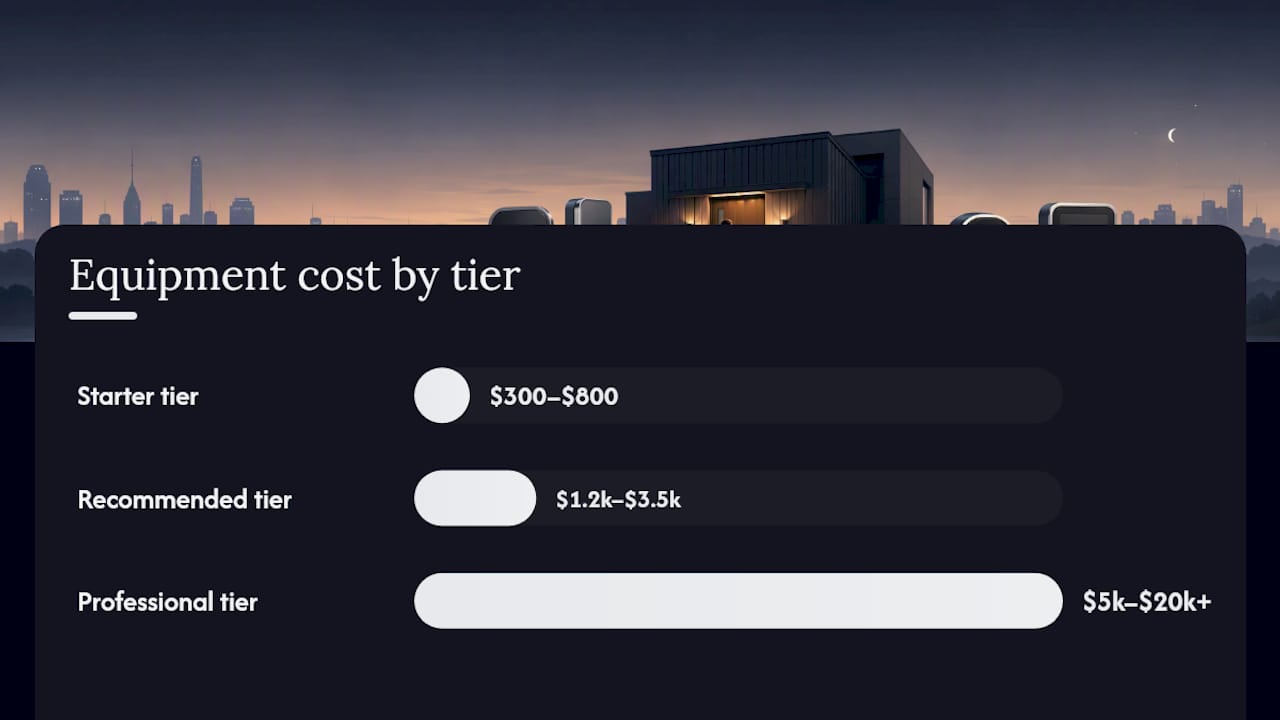
| Match tier to budget and risk | Starter kits run $300–$800; recommended kits $1,200–$3,500; professional systems $5,000–$20,000+. |
| Demand UL/BHMA/NFPA ratings | Verify safe fire and burglary ratings, BHMA Grade 1 locks, and a UL-listed monitoring center before buying. |
| Test and maintain on a schedule | Monthly alarm tests, quarterly credential audits, and annual safe inspections keep systems reliable. |
| Safes and Security Solutions | Stocks all three kit tiers with full specs, warranty coverage, and product support at safesandsecuritydirect.com. |
Table of Contents
- What kit do you need for securing after-hours property access?
- How do you choose cameras, alarms, locks, and safes for after-hours coverage?
- Where should you place devices for true after-hours coverage?
- How do you integrate cameras, alarms, locks, and lighting so they actually stop incidents?
- What do after-hours security systems cost, and how long does deployment take?
- What maintenance schedule and incident workflow should you follow?
- What products does Safes and Security Direct recommend?
- Safes and Security Direct has the kit you need, ready to ship
- Sources
What kit do you need for securing after-hours property access?
Three tiers cover almost every property type and budget.
Starter ($300–$800 total, DIY-friendly). Two to four wireless HD cameras, a basic alarm panel with door and window sensors, one smart deadbolt, and motion-activated LED floodlights at primary entries. No professional monitoring, app-only alerts. Right for a single-family home or a small office with low-value inventory. The tradeoff: you must respond to every alert yourself, at any hour.
Recommended ($1,200–$3,500, pro-install optional). Four to eight cameras with night vision and cloud storage, a monitored alarm panel with cellular backup, two or more smart deadbolts or electronic locks, a fire-resistant and burglary-rated safe (think UL TL-15 or better), and LED lighting integrated with camera fields of view. Professional monitoring runs $25–$60/month. This tier fits most small retail shops, rental properties, and homeowners with high-value contents.
Professional ($5,000–$20,000+, certified installation). Full-perimeter camera coverage with AI-assisted detection, a hardened alarm panel with UPS battery backup, high-security electronic locks on all access points, vault-grade or in-floor safes, and 24/7 verified monitoring with live audio intervention. Suited to warehouses, pharmacies, jewelry stores, and multi-unit commercial properties. A layered program combining physical presence, site controls, visibility tools, and ongoing adaptation is what separates a professional-grade system from a camera-only setup.
For a prioritized upgrade path, the physical security upgrades list for homes and businesses from Safes and Security Solutions walks through each layer in order.
How do you choose cameras, alarms, locks, and safes for after-hours coverage?
Start with risk, not a product list. Map your value at risk, count entry points, note perimeter complexity, and flag environmental exposure (rain, extreme cold, coastal salt air). A planning-first approach targeting high-exposure zones like perimeters, loading docks, and side doors consistently outperforms buying equipment without a site plan.
Once you know the site, demand these specs:
| Device | Minimum spec to require | Why it matters |
|---|---|---|
| Outdoor camera | 1080p+, IR or color night vision, IP66 rated | Usable ID footage in darkness and rain |
| Alarm panel | Cellular backup, UL-listed monitoring center | Stays online if Wi-Fi or landline is cut |
| Smart deadbolt | BHMA/ANSI Grade 1, encrypted BLE or Z-Wave | Resists forced entry; no credential interception |
| Fire-resistant safe | UL 350 1-hour or better, NFPA 232 compliant | Protects documents and media at 350°F internal |
| Burglary-resistant safe | UL TL-15 or TL-30 rated | Resists tool attack for 15–30 minutes |
| Outdoor lighting | 1,500+ lumens, motion-activated, IP65 rated | Eliminates concealment at entry points |
Questions to ask any installer: Does the monitoring center carry a UL listing? What is the average verified-response time? Is there cellular failover on the panel? Do cameras store footage locally if cloud goes down? Red flags: shared login credentials across clients, no documented power backup, no alarm verification before police dispatch.
Perimeter hardening choices, including fencing and gate automation, should be coordinated with your camera and access control plan from the start, not bolted on afterward.
Pro Tip: Ask your installer for the UL certificate number of their monitoring center, then verify it at ul.com. A legitimate center will hand it over in seconds.
Where should you place devices for true after-hours coverage?
Cover likely approach routes before interior spaces. Most after-hours intruders enter through rear service doors, loading docks, or parking-area perimeter gaps, not the front lobby.
Priority zones: loading docks, rear and side service doors, rooftop access hatches, parking areas, stairwell entries, and any vacant unit with exterior access. Integrating lighting with camera sightlines can reduce attempted theft and vandalism by up to 67%, according to a Marsh McLennan Agency Midwest analysis.
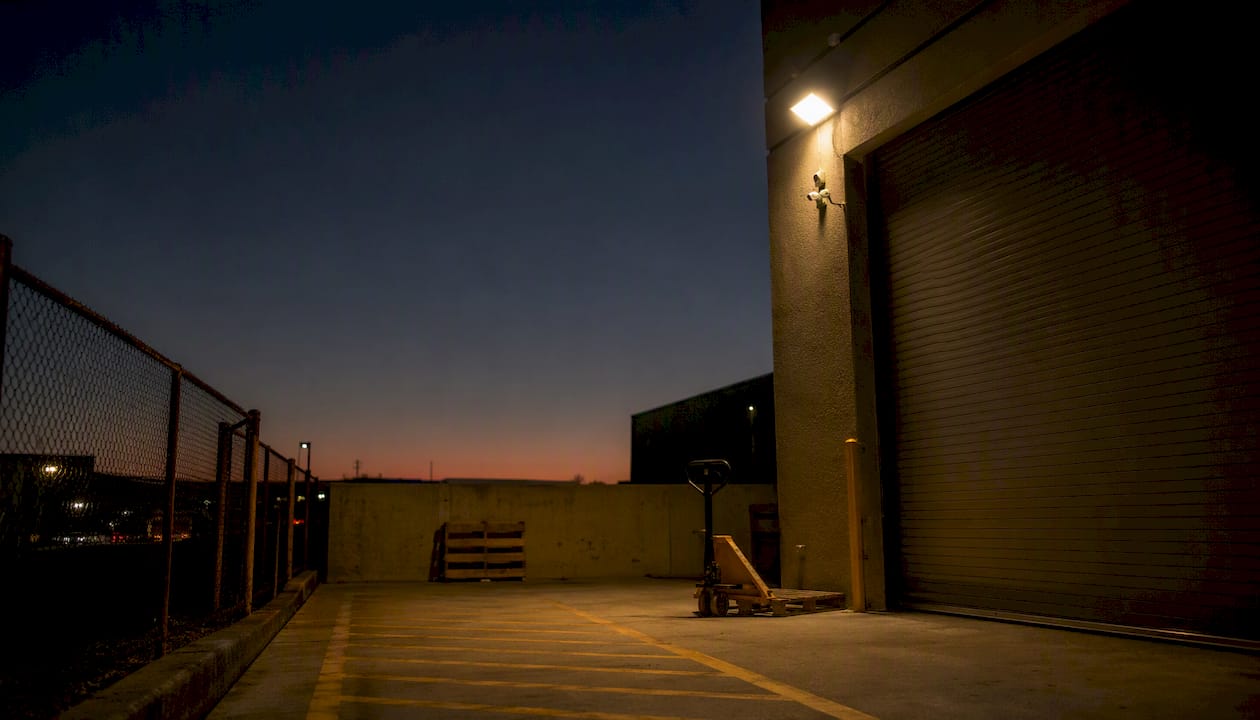
Mounting guidelines: cameras at 8–10 feet for face capture, 10–14 feet for wide-area and plate capture. Avoid mounting cameras facing west or east where sunrise and sunset create direct backlighting. Pair every camera field of view with a motion-activated light so the camera gets usable color footage, not just IR silhouettes.
Pro Tip: Walk the property at night with a flashlight off. Wherever you feel concealed, that’s where a camera is missing or a light needs repositioning.
Site-walk placement checklist:
- Mark every exterior door and window accessible from grade
- Note any area where an intruder could stand unlit for 30+ seconds
- Confirm camera coverage overlaps at corners (no single-camera blind spots)
- Verify lighting reaches the camera’s field of view, not just the path beside it
- Check that perimeter access control points align with camera coverage zones
How do you integrate cameras, alarms, locks, and lighting so they actually stop incidents?
Passive recording deters some intruders. Live monitoring with AI-assisted detection and immediate audio intervention stops many opportunistic break-ins that passive recording misses entirely. The difference is whether a human or an automated system can intervene in real time, not just document what happened.
Integration patterns, from simple to full-coverage:
- App-only (starter): Camera motion triggers push notification; you review and call 911. No monthly fee, but you must be awake and responsive.
- Self-monitored with cloud storage: Cameras upload clips to cloud; alarm panel sends SMS. Local NVR keeps a 30-day archive as backup. Adds redundancy without a monitoring contract.
- Professionally monitored (recommended): Alarm trips, monitoring center verifies via camera feed or two-way audio, then dispatches police. Cellular failover keeps the panel online if broadband is cut.
- Full verified monitoring with live audio: AI flags motion, operator reviews in seconds, audio warning plays through camera speaker. Most effective for after-hours deterrence.
Connectivity essentials: use wired PoE cameras where possible (no Wi-Fi dropout, harder to jam), add a UPS battery backup to your alarm panel and NVR (minimum 4-hour runtime), and confirm your panel has a cellular SIM as a fallback. For cloud storage, look for AES-256 encryption and automatic firmware updates as baseline trust signals.
What do after-hours security systems cost, and how long does deployment take?
| Tier | Equipment cost | Monthly ongoing | Install timeline |
|---|---|---|---|
| Starter | $300–$800 | $0–$15 (cloud storage) | DIY, 4–8 hours |
| Recommended | $1,200–$3,500 | $25–$60 (monitoring + cloud) | Pro install, 1–2 days |
| Professional | $5,000–$20,000+ | $25–$60 per month (professional monitoring) | Phased, 1–3 weeks |
Monitoring is worth the recurring cost when: your property is unoccupied for 8+ hours nightly, you store high-value inventory or sensitive records, or local police response times exceed 10 minutes. A cellular failover add-on typically runs $10–$15/month and is the single cheapest insurance against a cut landline.
What maintenance schedule and incident workflow should you follow?
Maintenance cadence:
- Weekly: Check camera feeds and alarm panel health indicators; confirm cloud uploads are current
- Monthly: Trigger a test alarm and verify monitoring center response time; clean camera lenses; check battery levels on wireless sensors
- Quarterly: Audit access credentials (revoke former employees immediately); test smart lock firmware updates; review footage retention settings
- Annually: Professional safe inspection; full lock servicing; re-walk the site for new blind spots or changed lighting
Incident workflow: Detection → verification (camera review or audio challenge) → escalation (monitoring center or you) → on-site response (police or patrol, never unarmed staff alone) → incident report with timestamps, photos, and checkpoint logs. Consistent lock-up procedures, tested alarms, and keeping employees away from after-hours alarm responses are core operational controls. Every monitoring or patrol provider should deliver GPS/NFC checkpoint logs, timestamped photos, and a written report within 24 hours of any incident.
Pro Tip: Run a full drill quarterly: trigger the alarm intentionally, time the monitoring center response, and document any gap. A center that takes more than 60 seconds to call back on a verified alarm is a center worth replacing.
For property managers, the security best practices for property managers guide from Safes and Security Solutions covers incident documentation in more detail.
What products does Safes and Security Direct recommend?
Safe selection guidance: Choose a fire-resistant safe (UL 350 1-hour minimum) for documents, drives, and media. Choose a burglary-resistant safe (UL TL-15 or TL-30) for cash, jewelry, or firearms. For pharmacies or regulated professionals, a combination-rated model covers both risks. Size up: most buyers underestimate how quickly a safe fills.
Safes and Security Solutions carries all three kit tiers, with warranty coverage and support options available at checkout. Browse the full catalog and get product-specific guidance at Safesandsecuritydirect.
Why trust these recommendations?
Safes and Security Solutions publishes product guidance grounded in manufacturer specifications, UL and NFPA rating standards, BHMA/ANSI lock grades, and real-world installation practices. Recommendations reflect site-walk verification methods, patrol and guard-tour accountability standards, and the layered-security framework used by commercial security professionals.
Trust signals to demand from any product or installer:
- UL listing for safes (fire and/or burglary rating, verified at ul.com)
- NFPA 232 compliance for fire-rated storage
- BHMA/ANSI Grade 1 for deadbolts and electronic locks
- UL-listed monitoring center with documented SLA
- Minimum 1-year warranty on hardware; 2+ years preferred
- Encrypted firmware with automatic update capability for cameras and panels
The one thing most property owners get wrong
Most after-hours security failures aren’t hardware failures. They’re placement and process failures. A camera pointed at a wall, an alarm panel with a dead backup battery, a safe bolted to drywall instead of concrete, a monitoring contract with no verified-response clause. The equipment works. The setup doesn’t.
Walk your site at night before you buy anything. Mark every dark corner, every door that doesn’t close flush, every camera angle that’s been shifted by a delivery driver bumping the mount. That 20-minute walk will tell you more than any spec sheet. Then buy the hardware that closes those specific gaps, not the most feature-rich kit in the catalog.
Safes and Security Direct has the kit you need, ready to ship

Safes and Security Solutions stocks every layer of a complete after-hours security system: wireless and wired HD camera systems with cloud storage and mobile alerts, UL-rated fire-resistant and burglary-resistant safes, smart deadbolts, and alarm system components. No waiting on a contractor quote to start. Browse by property type or budget tier, read full product specs, and order with secure checkout. Warranty coverage and customer support are available on every purchase. If you want guidance before buying, the product team can help you match kit components to your site. Visit Safesandsecuritydirect to shop or request a product recommendation.
Sources
- Mastering Security for Commercial Property in 2026 - Overton Security Services
- Commercial Break-In Prevention: 7 Proven Steps (2026)
- How to Protect Commercial Premises Overnight - Key Control Services
- How to Secure Your Business Premises Overnight: A Practical Guide for Peterborough Business Owners - Duke Security Systems
- Best Property Security Fence Options | Modern Fence Company