

What Makes a Camera NDAA Compliant, and What to Do Next
An NDAA-compliant camera is a surveillance device that contains no equipment or components from manufacturers named under Section 889 of the 2019 National Defense Authorization Act, the law that bars federal agencies and many contractors from using certain Chinese-made video surveillance gear. If you run a federal agency, hold a government contract, or spend federal grant dollars, this isn’t optional background reading. It’s a procurement requirement with real teeth.
Here’s what to do right now, before you read another paragraph:
- Pull your camera inventory: model numbers, SKUs, and firmware versions for every device on your network.
- Flag anything manufactured by, or reselling parts from, a company named on the Section 889 covered list.
- Request written NDAA compliance statements from your current vendor or installer for anything you can’t verify yourself.
Key Takeaways
NDAA compliance depends on documented sourcing, not device features, and organizations that build phased replacement plans with written vendor representations avoid the costliest compliance gaps.
| Point | Details |
|---|---|
| Compliance is documentation based | Collect manufacturer statements and bills of materials since no single certificate exists. |
| Coverage extends past direct contracts | Federal grant recipients and subcontractors can trigger Section 889 even without a direct federal contract. |
| Prioritize high-risk positions first | Replace entrances, server rooms, and contract-critical cameras before non-critical positions. |
| Budget for cabling reuse | Installed swap costs run roughly $300 to $800 per camera when reusing existing mounts and wiring. |
| Recheck lists quarterly | Covered-entity lists change through Federal Register updates, so treat compliance as ongoing, not one time. |
| Work with a documentation-ready supplier | Safes and Security Solutions provides specification detail and audit support for organizations planning a compliant camera swap. |
Table of Contents
- What NDAA-Compliant Cameras Actually Require Under Section 889
- Why NDAA Compliance Matters Beyond Federal Agencies
- How to Verify Whether Your Cameras Pass the Test
- Planning a Phased Replacement: Costs, Priorities, and Timelines
- What to Demand From Vendors Before You Buy
- How Safes and Security Solutions Supports Your Compliance Project
- Technical Standards That Actually Define NDAA Compliance
- Making Compliant Cameras Work With Your Existing Systems
- Keeping Your System Compliant After Installation
- What the Compliance Conversation Usually Gets Wrong
- Get Your Compliance Swap Done Right the First Time
- Frequently Asked Questions
- Sources
What NDAA-Compliant Cameras Actually Require Under Section 889
Section 889 does two things. First, it bans federal agencies from buying “covered telecommunications equipment or services” outright. Second, it bans federal contractors, and anyone spending certain federal grant or loan money, from using that equipment anywhere in their organization, not just on the government contract itself. That second part surprises a lot of buyers. A hospital using federal Medicare reimbursements or a university running federally funded research can trigger the rule even though they never signed a direct contract with a federal agency.
The statute names specific manufacturers whose telecommunications and video surveillance equipment is covered, along with their subsidiaries and affiliates. The list isn’t static. Entities get added through Federal Register notices and related trade actions, which is why a device that was fine to buy three years ago can become a liability today.
FAR clause 52.204-25 is where the statute meets contracting practice. It requires contractors to represent, in writing, whether they use covered equipment anywhere in their operations, and it gives contracting officers authority to reject bids or terminate contracts over noncompliance. Acquisition.gov’s Section 889 guidance walks contracting officers through how to apply the representation requirements during solicitation and award.
One more distinction that trips up buyers constantly: NDAA compliance and TAA (Trade Agreements Act) compliance are not the same thing. A camera can be fully NDAA compliant, meaning free of covered manufacturers, while still failing TAA rules because it was manufactured in a non-designated country. If your purchase touches GSA schedules or federal procurement, you often need both boxes checked, not just one.
Why NDAA Compliance Matters Beyond Federal Agencies
Federal agencies, active federal contractors, and organizations spending federal grant or loan money have to comply now, not eventually. That group is broader than most people assume: state and local agencies passing through federal transportation or infrastructure funds, universities with federal research contracts, hospitals with certain federal reimbursement arrangements, and any subcontractor feeding into a prime contractor’s federal work.
Plenty of organizations outside that mandatory circle adopt NDAA-compliant cameras anyway, and it’s rarely a symbolic choice.
- Insurance underwriters increasingly ask about surveillance equipment origin during commercial property reviews.
- Commercial landlords write NDAA compliance into tenant lease requirements, especially for multi-tenant buildings with shared security infrastructure.
- State-level procurement rules in some jurisdictions mirror the federal standard even for non-federal purchases.
- Prime contractors flow the requirement down to subcontractors regardless of whether the sub has a direct federal relationship.
The consequence for noncompliance in a covered contract isn’t a warning letter. Contracting officers can disqualify a bid, terminate an active contract, or claw back grant funding. The Security Industry Association’s analysis of the acquisition rules notes that the prohibition reaches well past the specific device purchased under a federal contract into an organization’s broader security footprint. That’s the detail that catches facilities teams off guard: swapping out the cameras on the government-funded wing doesn’t help if covered devices are still running in the parking garage next door.
How to Verify Whether Your Cameras Pass the Test
Start with an inventory, not a guess. For every camera and recorder on your network, capture the model number, SKU, MAC address, current firmware version, and purchase channel (direct from manufacturer, distributor, or integrator). This is the single most time-consuming part of the process, and skipping it is how organizations end up with compliance gaps they don’t discover until an audit.
- Match model and SKU against known covered-brand lists. Curated databases track which brands and specific product lines fall under Section 889, and they flag when a brand is NDAA compliant but not TAA compliant, a distinction that matters if federal procurement rules apply to your purchase.
- Request a written manufacturer statement. A real compliance statement references the bill of materials, not just a marketing claim. Ask for chipset-level sourcing, not a one-line assurance.
- Check for rebrands and OEM sourcing. A significant share of covered devices sold in the U.S. market are rebranded under different names, which means the model number on the housing tells you very little on its own.
- Look for red flags in firmware update channels. Unusual update servers, firmware signed by an entity that doesn’t match the labeled manufacturer, or update mechanisms that route through unfamiliar domains all warrant a second look.
- Escalate to an integrator when documentation is thin. If a vendor can’t produce a bill of materials or dodges the question, that’s your signal to bring in someone who does this verification professionally.
Pro Tip: Never trust the label on the box alone. Ask the vendor for the chipset manufacturer by name, in writing. If they hesitate or can’t answer, treat that hesitation as your answer.
Planning a Phased Replacement: Costs, Priorities, and Timelines
Nobody swaps an entire camera system in a weekend, and trying to is usually a budgeting mistake. A phased approach protects your most sensitive coverage areas first while spreading cost over a realistic timeline.
- Phase one: priority positions. Replace cameras covering entrances, server rooms, cash handling areas, and anything tied directly to a federal contract deliverable.
- Phase two: recorder and network infrastructure. NVRs and network switches often need attention alongside the cameras themselves, since covered equipment sometimes lives in the recording hardware, not just the camera housing.
- Phase three: remaining cameras by attrition. Non-critical positions can be replaced as existing units fail or reach end of life, which spreads the cost over years instead of months.
Installed swap costs vary by scope and site conditions, but field reports on projects that reuse existing cabling and mounts show per-camera installed costs typically landing in the $300 to $800 range, with a small four-camera swap often starting around $2,000 total. Reusing cable runs and mounting hardware is what keeps those numbers manageable. A full rip-and-replace, new cabling, new mounts, new conduit, costs considerably more per position.
| Swap Element | Typical Cost Driver |
|---|---|
| Camera hardware only | Lowest cost when cabling and mounts are reused |
| Recorder/NVR replacement | Often required alongside cameras if the recorder itself uses covered components |
| New cabling or conduit runs | Raises per-camera cost significantly versus a straight swap |
| Network switch upgrades | Needed when older PoE switches can’t support new camera bandwidth |
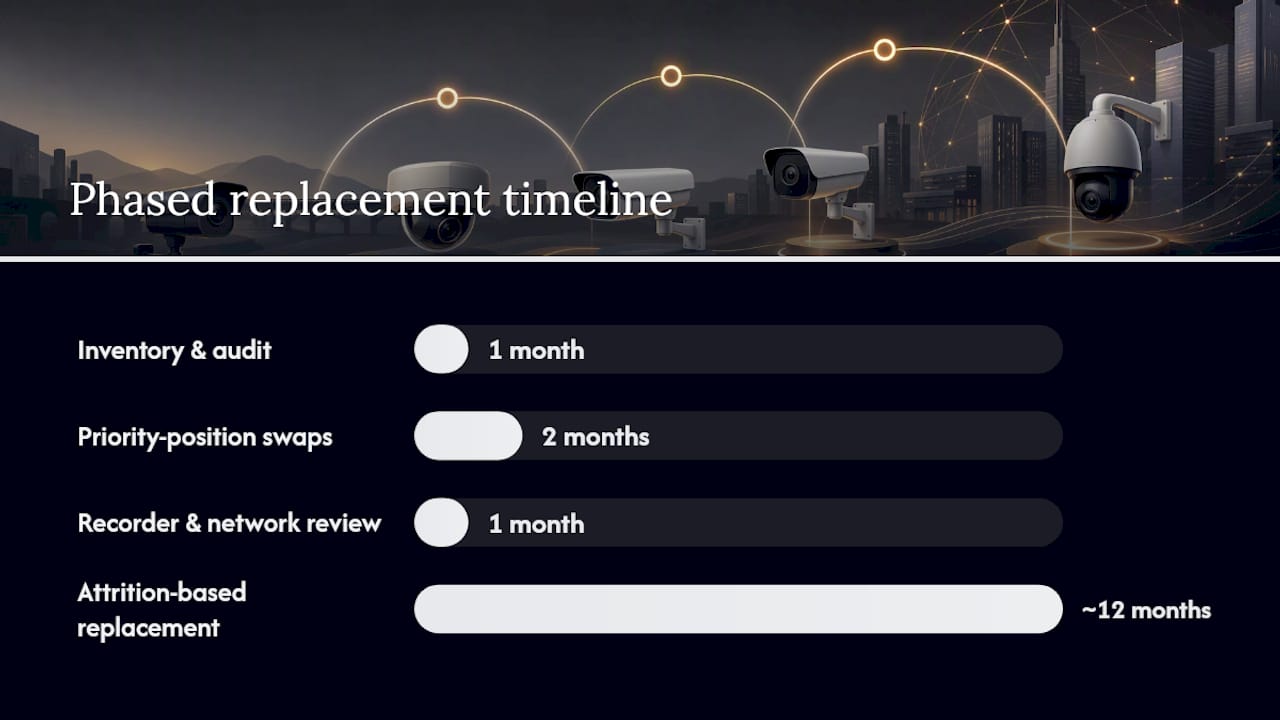
Set milestones rather than a single deadline. A reasonable organization-scale timeline runs: inventory and audit in month one, priority-position swaps in months two and three, recorder and network review in month four, and remaining attrition-based replacement ongoing over the following year. Our small business CCTV installation guide breaks down installation cost factors in more detail if you’re budgeting a broader system refresh alongside the compliance swap.
What to Demand From Vendors Before You Buy
A purchase order without documentation is a compliance gap waiting to surface during an audit. Build these requirements into your procurement process now, before the next purchase, not after.
- Written NDAA compliance statement referencing the specific model and firmware version, not a general company-wide claim.
- Bill of materials identifying chipset and component manufacturers.
- Country-of-origin documentation for the finished device and its major components.
- Firmware update policy in writing, including who signs updates and how they’re delivered.
- Supplier representation matching the language in FAR clause 52.204-25, even for non-federal purchases, since it sets a defensible documentation standard.
Push for warranty language that specifically addresses compliance, not just hardware defects; for related procurement and compliance considerations, see how to choose fire alarms for Colorado commercial buildings. A supplier representation stating the device contains no covered equipment, with a remedy clause if that turns out to be false, gives you contractual recourse rather than just a moral high ground.
When units arrive, verify serial numbers against the purchase order and photograph labeling before installation. Keep this documentation in a dedicated compliance file. Auditors and contracting officers want a paper trail, not a verbal assurance that “we checked.”
Pro Tip: Build a one-page compliance packet template now, before your next purchase order goes out. You’ll use it for every future camera and recorder buy, and it turns a scramble into a five-minute paperwork step.
How Safes and Security Solutions Supports Your Compliance Project
Safes and Security Solutions sells surveillance camera systems with cloud storage and mobile alert capability alongside the safes and vault hardware we’re known for, and compliance documentation is part of how we sell cameras, not an afterthought.
- Camera and recorder listings include specification detail buyers can use to cross-check against covered-manufacturer lists before purchase.
- We support inventory and SKU-mapping conversations for organizations working through a phased replacement plan.
- Installation guidance covers how to match replacement cameras to existing mounting and cabling infrastructure, which is where most cost savings in a swap actually happen.
If your organization needs case-specific documentation for an audit or contract file, our team can walk through what’s available for a given product line and purchase.
Technical Standards That Actually Define NDAA Compliance
NDAA compliance isn’t a feature you can see on a spec sheet. It’s a sourcing standard, which is exactly why it trips people up. There’s no resolution requirement, no encryption standard, and no specific chipset mandated by the statute itself. Section 889 defines compliance entirely by the absence of specific manufacturers and their affiliates anywhere in the supply chain, from the image sensor to the network chipset to the software stack running on the recorder.
That said, several related standards tend to travel alongside genuine NDAA compliance in the market, because vendors serious about the federal space build to more than one requirement at once. TAA compliance addresses where the finished product is manufactured or “substantially transformed,” which matters separately for GSA schedule purchases. FIPS 140 validation on encryption modules shows up in higher-security federal deployments. Some agencies also reference cybersecurity baselines from NIST alongside the NDAA sourcing rule, treating them as a combined procurement bar rather than separate checkboxes.
The practical takeaway: don’t treat “NDAA compliant” as shorthand for “secure” or “high-end.” A budget camera with a clean bill of materials can be fully NDAA compliant while lacking encryption features a pricier, equally compliant model includes. Compliance and capability are two different conversations, and buyers who merge them end up either overpaying for features they don’t need or underbuying on security features they do.
Making Compliant Cameras Work With Your Existing Systems
Swapping a covered camera for a compliant one rarely means dropping in a direct replacement and walking away. Video management software, access control integrations, and analytics platforms often expect specific camera protocols, and a compliant replacement doesn’t automatically speak the same language as your existing system.
ONVIF compliance is the detail to check first. Most modern cameras support the ONVIF standard for interoperability, but implementation quality varies enough between manufacturers that a “compliant on paper” swap can still break motion analytics, PTZ controls, or two-way audio integrations that your old system relied on. Test the replacement against your actual video management software before a full rollout, not after.
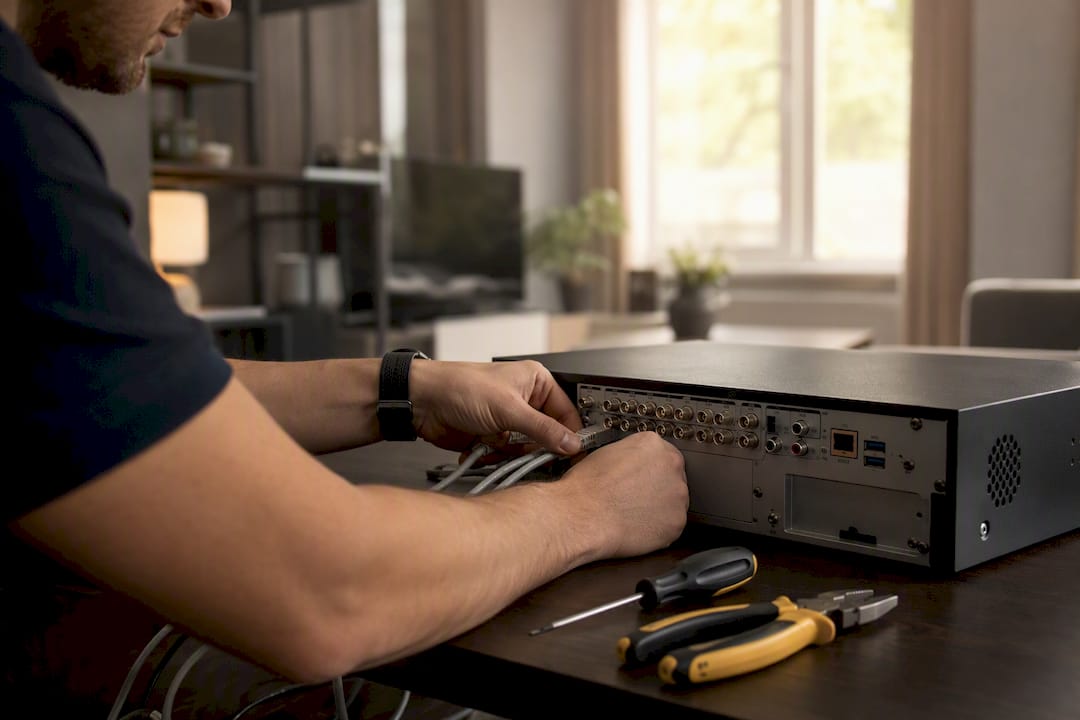
Recorder compatibility is the second friction point. If you’re replacing cameras but keeping an existing NVR, confirm the recorder’s onboarding wizard and codec support match the new camera’s output. Some older recorders choke on H.265 streams from newer compliant cameras, forcing a bandwidth or storage recalculation you didn’t budget for.
Cloud platform migrations add a third layer. If your compliance swap coincides with a move to cloud-based storage and mobile alerts, budget time for retraining staff on a new interface and confirming bandwidth at each site can support continuous cloud upload without degrading live viewing. None of this is a reason to delay a compliance swap. It’s a reason to test one location before rolling out across twenty.
Keeping Your System Compliant After Installation
Compliance isn’t a one-time purchase decision. It’s an ongoing monitoring task, because the covered-entity list itself changes. Entities get added through Federal Register notices and related trade actions, which means a manufacturer that’s clean today could land on a covered list next year, particularly if it’s a smaller brand with murky ownership structure.
Set a recurring calendar reminder, quarterly is reasonable for most organizations, to recheck your camera inventory against updated covered-entity lists. This takes far less time than the initial audit since you’re just comparing an existing list against updates, not building the inventory from scratch.
Firmware updates deserve the same scrutiny after installation as they got during procurement. A camera can be compliant at purchase and still raise concerns later if a firmware update introduces components or update mechanisms that weren’t part of the original bill of materials. Vendors change suppliers. Keep the compliance documentation you collected at purchase and compare it against any major firmware release notes going forward.
Federal contractors have an additional obligation here: the representation made under FAR 52.204-25 isn’t a one-time statement. If your equipment status changes, through a merger, an acquisition, or a supplier switch on the vendor’s end, that representation may need updating. Build compliance re-verification into whatever contract renewal or annual security review process your organization already runs, rather than treating it as a separate task nobody owns.
What the Compliance Conversation Usually Gets Wrong
Most advice on this topic treats NDAA compliance as a legal checkbox exercise: look up the brand, confirm it’s not on the list, move on. That misses the part that actually costs organizations money and time. Rebranding and OEM sourcing mean the name on the camera housing frequently isn’t the name of the company that built the sensor inside it. Treating a model number as sufficient verification is how compliant-looking purchases turn into audit findings eighteen months later.
The conventional advice also underweights documentation. Buyers fixate on finding the “right” compliant brand and skip building the paper trail that actually protects them in a contract dispute or audit, a signed bill of materials, a dated manufacturer statement, photographed serial numbers at delivery. That paperwork is boring. It’s also the only thing that matters when a contracting officer asks you to prove what you claimed two years ago.
If you take one thing from this: build your documentation habit before your next purchase, not during your next audit scramble. The technical specifications for choosing the right camera type matter, but they matter less than the paper trail sitting behind the purchase.
Get Your Compliance Swap Done Right the First Time
Safes and Security Solutions sells surveillance camera systems built for exactly the documentation-heavy buying process this article walks through, along with the safes and vault hardware that round out a full facility security plan. Where a lot of camera retailers hand you a spec sheet and disappear, we build compliance detail into the product listing itself so you’re not chasing down a bill of materials after the purchase order is already signed.

If you’re staring down a phased replacement project, whether it’s four cameras in a small office or a full site refresh tied to a federal contract renewal, start by reviewing our current camera systems and specification sheets at Safes and Security Direct and reach out to our team with your inventory questions. We’ll help you match compliant models to your existing mounts and cabling, so your next swap costs less than starting from scratch.
Frequently Asked Questions
What is an NDAA compliant camera in simple terms? It’s a surveillance camera with no components sourced from manufacturers named under Section 889 of the 2019 NDAA, verified through supplier documentation rather than a government-issued certificate.
Do I legally need NDAA compliant cameras for my small business? Only if you hold a federal contract, receive certain federal grant or loan funding, or work as a subcontractor to a prime contractor with federal obligations. Private businesses outside that circle can choose NDAA-compliant gear voluntarily for insurance or landlord requirements.
Are NDAA compliant cameras the same as TAA compliant cameras? No. NDAA compliance concerns the manufacturer and component sourcing under Section 889. TAA compliance concerns the country where the finished product is manufactured. A camera can pass one requirement and fail the other, so check both if your purchase involves GSA schedules or federal procurement.
How much does it cost to replace non-compliant security cameras? Field data on swaps that reuse existing cabling and mounts show per-camera installed costs typically between $300 and $800, with small four-camera projects often starting around $2,000 total. New cabling or conduit runs push costs higher.
How often should I recheck my cameras for NDAA compliance? A quarterly review against updated covered-entity lists is reasonable for most organizations, since the list changes through Federal Register notices and firmware updates can occasionally introduce new components worth verifying.
Sources
- FAR 52.204-25 — Prohibition on Contracting for Certain Telecommunications and Video Surveillance Services or Equipment
- H.R.5515 — National Defense Authorization Act for Fiscal Year 2019 (text)
- Federal Register — Addition of Certain Entities to the Entity List (example notice)
Recommended
- ANNKE NightChromaTM NDK800 – 4K 16 Channel Panoramic Dual Lens PoE Sec – Safes and Security Solutions
- ANNKE NightChromaTM NDK800 – 4K 8 Channel Panoramic Dual Lens PoE Secu – Safes and Security Solutions
- Security Camera Buying Guide for Home and Business – Safes and Security Solutions
- Choosing Security Cameras That Fit the Risk – Safes and Security Solutions