

Camera UPS Backup: 5 Steps to Size Runtime for Home and Small Business
Yes, if you rely on your cameras for anything beyond casual monitoring, you need battery backup between the wall outlet and your equipment. The right fix depends on your setup: an indoor UPS with PoE prioritization for a home NVR system, or an outdoor PoE UPS for pole-mounted or remote cameras. Sizing the battery correctly matters more than brand, and the math is simpler than it looks.
TL;DR:
- Most home camera setups benefit from a line-interactive UPS with AVR, providing 4 to 8 hours of backup with a 300Wh to 500Wh battery size.
- Outdoor PoE UPS systems like enerbooost are ideal for remote or pole-mounted cameras, combining weatherproofing, power backup, and up to tens of hours of runtime.
- Proper sizing involves calculating total power draw, multiplying by desired runtime, adjusting for inverter efficiency, and adding a 20 to 30 percent margin to account for battery aging and temperature effects.
- Regular testing every 3 to 6 months and battery replacement every 2 to 3 years for lead-acid or every 5 to 10 years for lithium batteries ensures system reliability.
- For optimal protection, prioritize backing up the NVR and PoE switch over individual cameras, and install surge protection, weatherproofing, and monitoring to prevent failures.
Table of Contents
- How UPS Battery Backup Protects Cameras and Recorders
- Types of Camera Backup Power Systems
- Sizing a Camera UPS: A Step-by-Step Runtime Calculation
- Installation and Wiring Tips That Prevent Failures
- Testing and Battery Replacement Schedule
- Which Camera UPS Setup Fits Your Situation
- Why Installers Lean Toward Outdoor PoE UPS Systems
- Building a Reliable Camera System That Stays Online
- Sources
- FAQ
How UPS Battery Backup Protects Cameras and Recorders
A power outage does not just turn your cameras off. It creates a recording gap at the exact moment burglars, package thieves, or vandals are most likely to strike, since criminals often act during storms or grid failures when they assume systems are down. Beyond outages, brownouts and voltage spikes quietly wear down camera electronics and NVR hard drives over months, even when the picture never cuts out.
Three UPS topologies handle this differently:
- Offline/standby switches to battery only when power fails, cheap but slower to react.
- Line-interactive adds Automatic Voltage Regulation (AVR), correcting sags and spikes without draining the battery.
- Online/double-conversion continuously regenerates clean power, the gold standard for sensitive gear.
Vendor guidance from Xtreme Power Conversion recommends online UPS models like the J90 series for PoE switches and NVRs, since double-conversion topology prevents the hardware degradation and recording corruption that micro-pulses cause over time. If you’re running a multi-camera NVR setup or anything protecting a business, online topology earns its higher price. A single home camera on a line-interactive unit is usually fine.
Types of Camera Backup Power Systems
Not every camera needs the same backup approach. Match the solution to where the camera sits and how it’s powered.
- Indoor AC UPS units power your NVR, DVR, and PoE switch from one battery, the standard setup for home and small-office systems.
- Outdoor PoE UPS systems, like the enerbooost® line, combine a UPS, PoE switch, charger, and lithium iron phosphate (LiFePO4) battery in one weatherproof enclosure, built for pole-mounted or remote cameras where running power back to an indoor panel isn’t practical. These units support up to four PoE devices and can stretch runtime to tens of hours under light load.
- DC mini-UPS modules, such as the Milesight UPS01 M12, skip the inverter entirely and deliver direct current straight to a camera or cellular router, giving 6 to 32 hours of runtime depending on load.
- Battery-integrated and solar-powered cameras avoid the UPS question altogether by running on their own internal battery, a solid option for driveways and gates where trenching conduit is expensive.
Each trades runtime and weatherproofing against install complexity. Indoor UPS units are cheapest and easiest; outdoor PoE units cost more but solve the wiring problem at the source.
Sizing a Camera UPS: A Step-by-Step Runtime Calculation
Guessing at battery size is how people end up with 20 minutes of backup when they expected four hours. The math takes five steps.
- List every device drawing power during an outage: each camera’s wattage (check the label or spec sheet), the PoE switch’s total draw, and the NVR or DVR itself.
- Add up total watts. A 4-camera setup with 8-watt PoE cameras, a 60-watt PoE switch, and a 25-watt NVR comes to roughly 117 watts.
- Convert to watt-hours needed by multiplying total watts by desired runtime in hours. For 4 hours of backup: 117 watts × 4 hours = 468 Wh.
- Account for inverter losses. AC inverters typically run 85 to 90 percent efficient, so divide by 0.85: you need roughly 550 Wh of usable battery capacity.
- Add a margin. Battery capacity fades with age and cold temperatures, so size up by 20 to 30 percent rather than cutting it razor thin.
For a simple 2-camera home setup drawing about 30 watts total, a compact indoor UPS with a 300Wh battery gives you 6 to 8 hours, plenty for most residential outages.
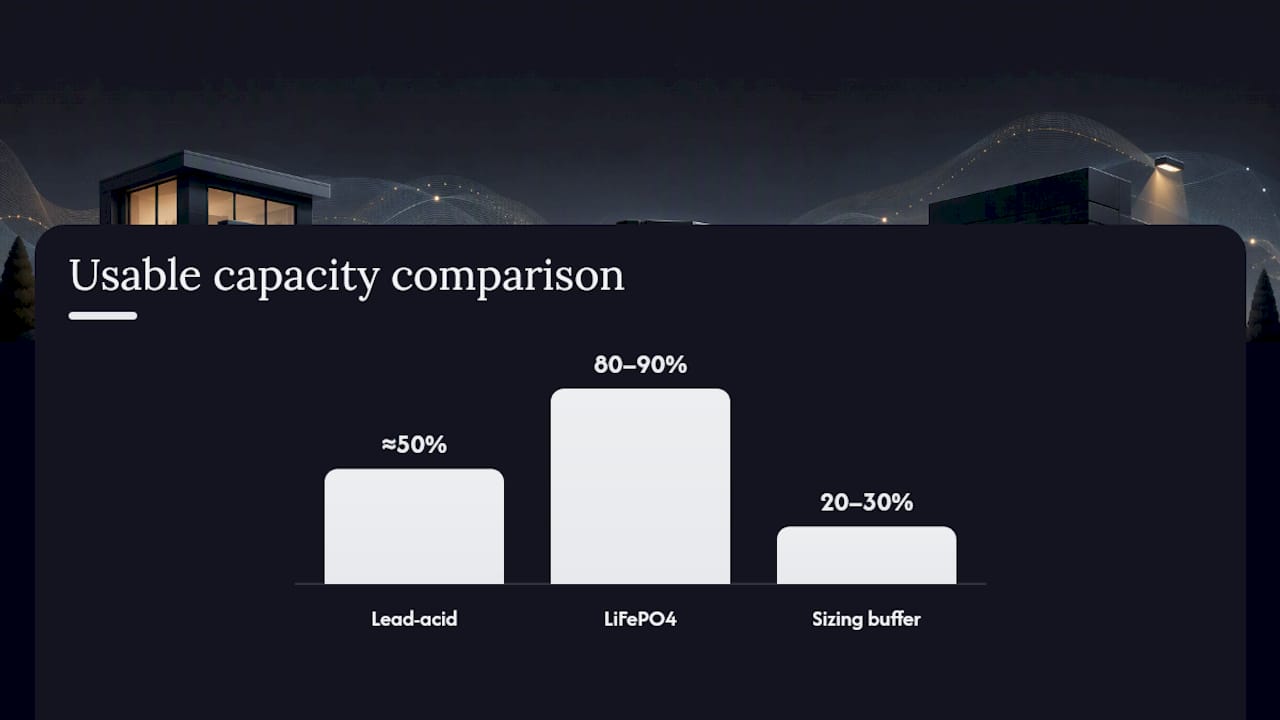
Battery chemistry changes the equation too. Lead-acid batteries are cheaper per watt-hour but only deliver about half their rated capacity before voltage drops too low for equipment to run reliably. LiFePO4 batteries cost more upfront but deliver closer to 80 to 90 percent of rated capacity and hold up far better through repeated charge cycles, which is why enerbooost and similar outdoor units default to LiFePO4. Installers on forums like IPVM commonly use lithium batteries of moderate capacity for remote camera runs, scaling battery size directly with expected runtime.
Pro Tip: Prioritize your NVR and PoE switch on the UPS first. If you have to make hard choices about which devices survive a long outage, the recorder matters more than any single camera.
Installation and Wiring Tips That Prevent Failures
Most UPS problems trace back to installation shortcuts, not equipment defects. A few habits separate a system that works from one that quietly fails during the one outage that mattered.
- Power the PoE switch through the UPS rather than wiring each camera separately. One backed-up switch protects every camera downstream.
- Match outdoor UPS enclosures to a NEMA or IP rating suited to your climate. Extreme cold or heat shortens battery life fast if the unit sits exposed.
- Route cables through conduit or weatherproof glands to avoid moisture intrusion at connection points.
- Add surge protection and proper grounding upstream of the UPS. A power spike that gets through can damage the UPS itself, not just the cameras.
- Use remote outlet control or app-based monitoring so you know a unit dropped to battery before the camera feed actually goes dark.
Check your camera manufacturer’s warranty terms before installing. Some vendors, per Xtreme Power Conversion’s guidance, require AVR-equipped power to keep warranty coverage valid, since unregulated power is what causes the cumulative electrical stress that warranties exclude.
Testing and Battery Replacement Schedule
A UPS you never test is a UPS you’re hoping works. Build a simple routine around it.
- Run a controlled outage test every 3 to 6 months by unplugging the UPS from the wall and timing how long your cameras stay live.
- Check battery health indicators monthly if your unit has an app or status light; a battery holding less than 80 percent of its rated capacity is worth replacing soon.
- Replace lead-acid batteries every 2 to 3 years, sooner in hot climates where heat accelerates degradation.
- Replace LiFePO4 batteries every 5 to 10 years, since lithium iron phosphate chemistry tolerates far more charge cycles before capacity drops off.
- Update UPS firmware when available, since firmware patches often fix charging logic that affects real-world runtime.
Which Camera UPS Setup Fits Your Situation
Match your backup approach to the number of cameras and how far they sit from your main panel.
- A single home with 2 cameras and one NVR needs only a compact indoor line-interactive UPS with a 300 to 500Wh battery, giving 4 to 8 hours of runtime.
- A small business running a PoE switch and NVR for 4 to 8 cameras does better with an online UPS sized for 500 to 800Wh, prioritizing the switch and recorder over individual camera ports.
- A remote or pole-mounted camera far from indoor power calls for an outdoor PoE UPS like the enerbooost system, or a solar-plus-battery setup where trenching conduit isn’t realistic.
- If your setup spans multiple buildings or more than eight cameras, bring in a licensed installer and ask specifically about load calculations, battery chemistry, and whether the PoE switch’s total draw was included in their sizing.
Why Installers Lean Toward Outdoor PoE UPS Systems
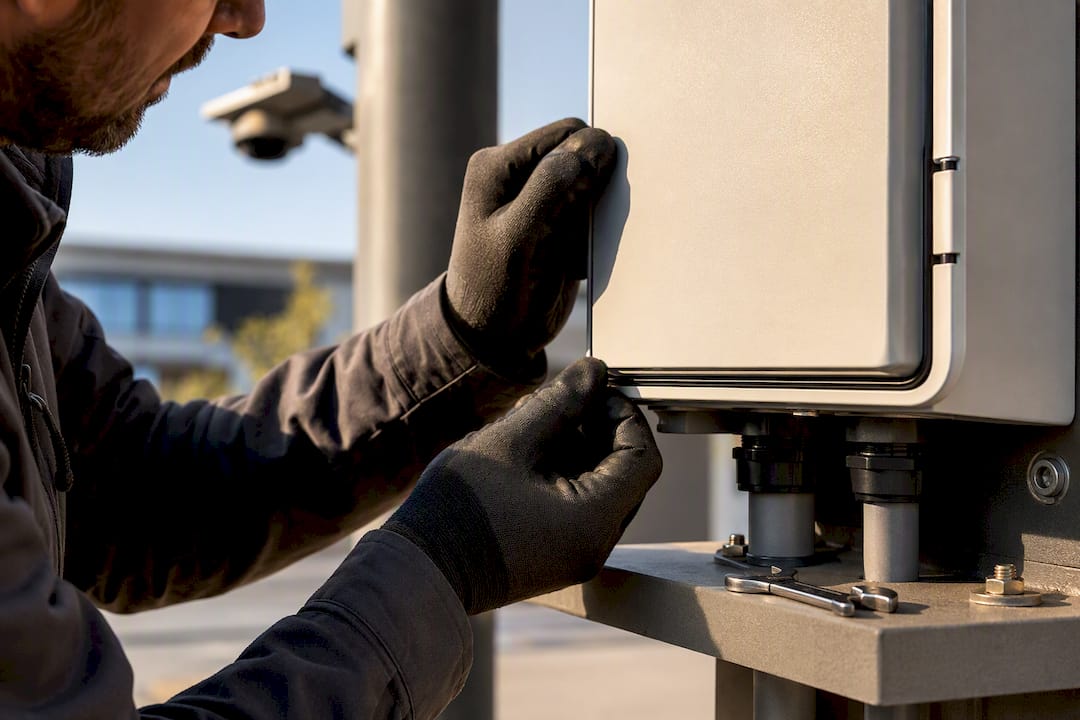
Installers handling remote or pole-mounted cameras consistently favor outdoor PoE UPS units over running long cable back to an indoor panel. It solves the power problem and the weatherproofing problem in one enclosure. Clean, regulated power gets emphasized in professional installs because the alternative, unregulated voltage sag and spike damage, shows up months later as a failed hard drive nobody connects back to the power supply. We carry hardware that pairs with these backup approaches for readers building out a matching system.
Building a Reliable Camera System That Stays Online
A UPS is only half the equation. The other half is the cameras, NVR, and PoE hardware it’s protecting, and that’s where We carry PoE NVR systems built for 24/7 continuous recording, including the Reolink 24-channel PoE NVR. It pairs naturally with the UPS sizing steps above since its full power draw is exactly what you’d plug into your runtime calculation.

If trenching conduit to a remote camera isn’t practical, our battery and solar-powered outdoor camera sidesteps the UPS question entirely, and our long-life battery bullet camera runs up to 540 days on its own charge. For readers also thinking about protecting physical valuables alongside their camera footage, our BFS2214 burglary and fire safe rounds out a property protection plan that covers both digital evidence and physical assets. Browse our full catalog or reach out through Safes and Security Direct for compatibility questions before you buy.
Sources
The Xtreme Power Conversion guide breaks down UPS topology choices for DVR and NVR hardware. The enerbooost technical page details outdoor PoE UPS specifications and charge times. IPVM’s installer discussion offers real-world battery sizing experience. For readers building a battery bank from scratch, AkkuPlus’s Panasonic 120Ah battery page lists specs useful for DIY sizing comparisons.
- UPS for Security Cameras & DVRs - Xtreme Power Conversion
- enerbooost® Outdoor UPS for IP Video Systems | STROPS Technologie
- UPS01 M12 | Milesight
- UPS / Battery Backup For Remote Cameras? - IPVM
FAQ
What Is the Best Power Backup for Security Cameras?
For most home setups, a line-interactive indoor UPS with AVR covering the NVR and PoE switch is the best balance of cost and protection. For remote or pole-mounted cameras, an outdoor PoE UPS like enerbooost handles both power backup and weatherproofing in one unit.
How Long Will a 1000VA UPS Last on Battery?
Runtime depends entirely on connected load. UPS runtime varies with battery capacity and device draw, with lighter camera setups lasting several hours and maximum loads reducing runtime to under an hour.
Do I Need a UPS for My Security Camera System?
If your cameras record anything you’d need during an insurance claim or police report, yes. Even a short indoor UPS covering just your NVR and PoE switch prevents the recording gaps that happen most often during storms and grid failures.
What Is the Difference Between a UPS and a Battery Backup?
A UPS actively regulates and conditions power in addition to storing battery charge, while a basic battery backup simply stores charge without correcting voltage sags or spikes. For camera electronics, that regulation is what actually protects the hardware long term, not just the runtime.