

Business Security Camera System Features You Need to Know
In this article
- What Are the Most Important Business Security Camera System Features?
- PoE (Power over Ethernet) Connectivity: The Backbone of Modern Systems
- 24/7 Continuous Recording and DVR/NVR Systems
- High-Resolution Video: See Details That Matter
- Turret Camera Design for Flexible Coverage
- Weather-Resistant Construction for Outdoor Reliability
- Centralized System Control and Remote Access
- Local Storage with RAID and Redundancy
- Scalable Coverage: Grow Your System as You Grow
- Night Vision and Low-Light Performance
- Built-In Microphones and Two-Way Audio
- Smart Detection: Human and Vehicle Recognition
- How to Choose the Right System for Your Business
- Common Questions About Business Security Camera System Features
What Are the Most Important Business Security Camera System Features?
The best business security camera systems combine reliable recording, clear image quality, flexible camera placement, and the ability to monitor from anywhere. Modern systems deliver this through PoE (Power over Ethernet) technology, high-resolution cameras, centralized control, and local storage with data protection built in.
Think of it this way: your system needs to capture what matters, store it safely, and let you see it when you need it. The features that make this possible are worth understanding before you invest.
Related: Best PoE Security Camera System for Home Protection
PoE (Power over Ethernet) Connectivity: The Backbone of Modern Systems
PoE is one of the smartest features you'll find in a business security camera system. It delivers both power and data through a single cable, which simplifies installation and reduces the mess of running separate power lines to each camera.
Related: Best Security System Installation for Residential Homes 2026
Related: Best Security Gear 2026: Top 5 Ranked for Home & Business
Related: Security Camera System Installation Guide: DIY Setup
This matters because you get a cleaner installation, fewer points of failure, and more flexibility in camera placement. You can put cameras where they make sense for your business, not just where you can easily run power.
24/7 Continuous Recording and DVR/NVR Systems
A business security camera system worth its salt runs all day and all night without stopping. DVR (Digital Video Recorder) and NVR (Network Video Recorder) systems handle this recording, with NVR systems being the newer, more flexible standard.
The difference is simple: DVR systems are older and record to a central hub connected to cameras. NVR systems work over your network and give you more room to grow. Both work reliably, but if you're building a system today, NVR is the smarter choice for most businesses.
Your system can store weeks or even months of footage depending on how many cameras you have and how much storage you add.
High-Resolution Video: See Details That Matter
Resolution determines whether you can actually identify someone or read a license plate. Most business systems today offer HD, 5MP, or 4K options.
4K cameras give you the sharpest images and the most detail. 5MP is a solid middle ground for most businesses. The higher the resolution, the more storage you'll need, so think about what matters most for your specific business.
Turret Camera Design for Flexible Coverage

Turret cameras are popular in business systems because they rotate and adjust to reduce glare and point at the angles you actually care about. This flexibility helps you cover your property more effectively without adding extra cameras.
Unlike bullet cameras that point in one direction, turrets let you fine-tune positioning after installation, which saves money and frustration down the road.
Weather-Resistant Construction for Outdoor Reliability
Any camera going outside needs to handle rain, sun, temperature swings, and dust. Look for IP67 or similar ratings that promise water and dust resistance.
This isn't just about durability. A corroded camera is a dead camera, and you lose visibility right when you need it most. Quality construction means your outdoor cameras keep working for years.
Centralized System Control and Remote Access
A real business security camera system lets you see all your cameras from one place, whether you're at your desk or across town. This centralized view is what separates a professional system from a collection of random cameras.
Remote access means you can check your property from your phone or computer anytime. This peace of mind is worth a lot, especially for business owners who can't be on-site every minute.
Local Storage with RAID and Redundancy
Your footage is only useful if it survives a hard drive failure. RAID configuration and multiple hard drives protect your recordings so that if one drive fails, your video stays intact.
This is critical for businesses. You don't want to lose footage because of bad luck with hardware. Safes and Security Solutions systems include storage options built to handle this redundancy, so your footage is safe.
Need this done at home?
Get a Free Estimate →Related: Best Business Inventory Security and Storage Solutions
Scalable Coverage: Grow Your System as You Grow
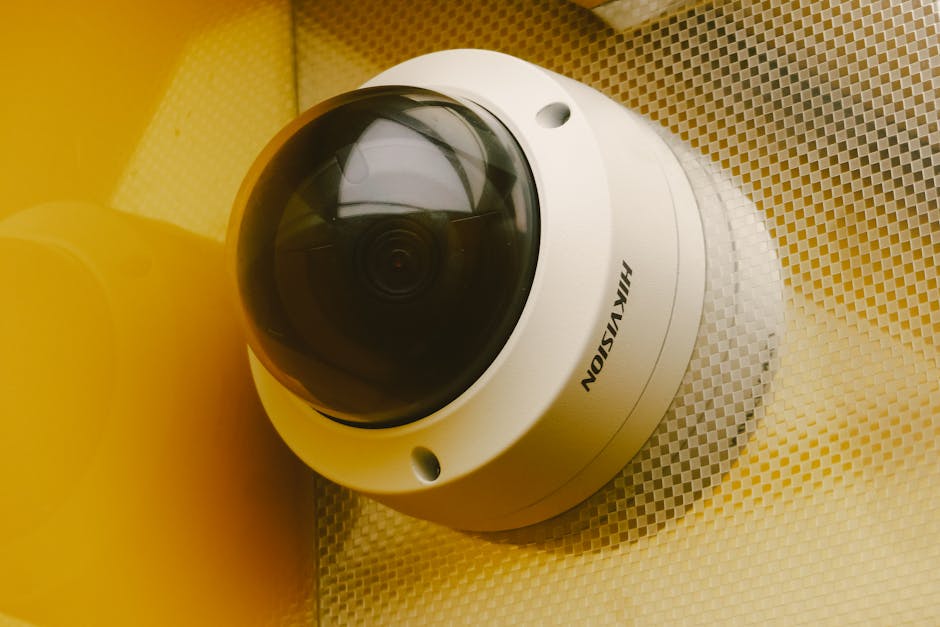
Your business may start small, but security needs often expand. A good system lets you add cameras later without replacing everything.
NVR systems typically support 8 to 256+ channels depending on the model, which gives you room to grow from a few cameras to a full network. This scalability means you invest wisely today and expand tomorrow without wasting money on oversized equipment you don't need yet.
Night Vision and Low-Light Performance
Most break-ins and theft happen when it's dark. Your system needs to see clearly at night, not just during business hours.
Look for infrared (IR) night vision or color night vision options. Color night vision is newer and delivers better detail in low light, though infrared is proven and reliable. Either way, darkness shouldn't be a blind spot in your security.
Built-In Microphones and Two-Way Audio
Some systems include microphones on the cameras themselves, so you capture audio along with video. Two-way audio lets you speak through a camera to warn someone or communicate with staff.
This is a bonus feature for many businesses, but it's especially valuable if you need to deter trespassers or coordinate with remote team members.
Smart Detection: Human and Vehicle Recognition
Modern systems can distinguish between a person, a vehicle, and an animal. This cuts down on false alarms and helps you focus on what actually matters.
When your system alerts you only to real activity, you actually pay attention to alerts instead of tuning them out. This feature turns raw video into actionable intelligence.
How to Choose the Right System for Your Business
Start by mapping your property and identifying the areas that matter most. Entrances, loading docks, inventory areas, and parking lots are typical priorities.
Count how many cameras you need, then look for a system with room to grow. Consider whether you need 4K detail or if 5MP works for your use case. Factor in local storage capacity and whether RAID redundancy fits your budget.
If this feels overwhelming, Safes and Security Solutions can walk you through the options and help you find a system that matches your business size and security priorities.
Common Questions About Business Security Camera System Features
What's the difference between PoE and wireless cameras?
PoE cameras run a single cable to each camera for power and data, which is stable and reliable. Wireless cameras need separate power and run on Wi-Fi, which can be unreliable in large buildings or busy networks. For a business, PoE is the safer choice because it doesn't depend on your Wi-Fi staying up.
How much footage can I store?
That depends on your camera resolution, frame rate, and storage capacity. A 4K system with multiple cameras might fill a 4TB drive in a few weeks, while lower-resolution systems could store footage for months. Talk to Safes and Security Solutions about storage sizing for your specific setup.
Can I access my cameras from my phone?
Yes, most modern NVR systems include remote access apps so you can view your cameras from anywhere with an internet connection. This is standard on professional systems and is one of the biggest reasons businesses choose them over older alternatives.
Do I need a professional to install this?
PoE systems are easier to install than older systems, but running cables and positioning cameras correctly still takes skill. Many businesses hire professionals for the install to make sure coverage is right and the system works perfectly from day one. Safes and Security Solutions can advise you on installation options.
Need this done at home?
Get a Free Estimate →